Every smartphone user relies on a SIM card to make calls, send texts, and browse the internet, but most people are unaware of what this tiny chip actually does. Whether you’re activating a new phone, switching carriers, or traveling, understanding SIM cards helps you make smarter decisions about your mobile service.
This guide covers SIM card types, basic technology, and tips for choosing the right SIM in 2026.
What Is a SIM Card? The Basics Explained
SIM Card Definition:
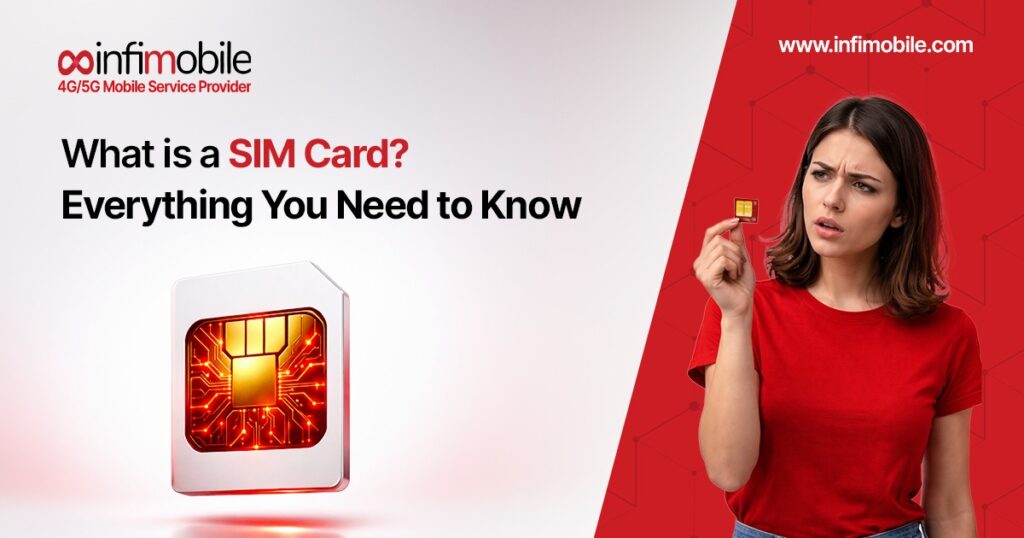
SIM stands for Subscriber Identity Module—a small integrated circuit card that securely stores information identifying you as a mobile network subscriber. Think of your SIM card as your phone’s identity card that tells cellular networks who you are and which service plan you’re authorized to use.
Primary Functions:
Your SIM card performs several critical functions:
1. Network Authentication:
- Identifies you to your carrier’s network
- Proves you’re an authorized subscriber
- Enables connection to cellular towers
- Prevents unauthorized network access
2. Phone Number Storage:
- Links your phone number to your device
- Enables incoming calls and texts to reach you
- Allows you to keep the same number when changing phones
- Stores subscriber identification data
3. Contact Information:
- Stores limited contact information (though most users now save contacts to phone/cloud)
- Maintains text message records
- Holds carrier-specific settings
4. Service Authorization:
- Determines which services you can access (calls, texts, data)
- Identifies your service plan tier
- Enables features based on your subscription
Physical Appearance:
A traditional mobile SIM card is:
- Size: Varies by type (explained below)
- Material: Plastic card with embedded microchip
- Chip: Gold or silver contact points visible
- Shape: Rectangular with an angled corner for proper insertion
- Durability: Surprisingly fragile despite small size
Where Is the SIM Card?
SIM card for phone location varies by device:
Modern Smartphones:
- Side tray (iPhone, most Android phones)
- Top tray (some Samsung models)
- Behind the battery (older removable battery phones)
- eSIM (embedded, not physically accessible)
How to Find: Look for a small pinhole on the edge of the phone—that’s the SIM tray ejector hole.
How SIM Card Works: The Technology Behind Connectivity
The Connection Process:
Understanding how a SIM card works requires examining what happens when you power on your phone:
1: Power On
- Phone detects SIM card presence.
- Reads identification information from the chip
- Prepares to connect to the network
2: Network Search
- Phone searches for available cellular networks
- Prioritizes your carrier’s network
- Identifies the strongest available signal
3: Authentication
- SIM card sends a unique identifier (IMSI – International Mobile Subscriber Identity)
- Network verifies you’re an authorized subscriber.
- Authentication key exchange confirms legitimacy.
- Takes milliseconds to complete
4: Registration
- Network registers your location.
- Allocates resources for your connection
- Enables incoming calls/texts to route to you
- Maintains connection as you move between towers
5: Service Activation
- Network enables services based on your plan.
- Activates the data connection if subscribed
- Enables calling and messaging
- You’re now connected and ready to use the phone.
What information does a SIM Card Store?
Critical Data on SIM Card:
Permanent Information:
- IMSI: International Mobile Subscriber Identity (unique identifier)
- Authentication key: Secret code for network verification
- Carrier information: Network operator details
- Service capabilities: Supported technologies (4G, 5G, etc.)
Changeable Information:
- Phone number: Can be updated by the carrier
- SMS messages: Recent texts (limited storage)
- Contacts: If saved to SIM instead of phone (rare now)
- Network preferences: Carrier settings
What SIM Card Does NOT Store:
Common misconceptions about mobile SIM card storage: Photos/videos: Stored on phone memory or cloud, Apps: Installed on phone storage, Most contacts: Usually saved to phone or Google/iCloud account, Browsing history: Maintained by phone/browser, and Passwords: Stored in phone’s secure storage or password managers
SIM Card and Phone Number Relationship:
Important Understanding:
Your phone number is associated with your SIM card but not physically “stored” on it in the way contacts might be. The SIM contains an identifier that your carrier’s network uses to route calls/texts to your number.
This means:
- Swap SIM to new phone → your number moves with it.
- Replace damaged SIM → The carrier can assign the same number to the new SIM.
- Lose SIM → number isn’t lost (carrier maintains the connection)
Evolution of SIM Card Sizes:
SIM cards have shrunk dramatically since their introduction in 1991. Understanding SIM card types helps you identify which your phone uses and ensure compatibility when purchasing a new SIM.
1. Standard SIM (Mini-SIM)
Size: 25mm × 15mm (about the size of a fingernail). Thickness: 0.76mm. Chip area: Same as all SIM types (only the plastic surrounding it varies)
Usage:
- Older phones (pre-2010 primarily)
- Some basic feature phones
- Rare in modern smartphones
- Legacy industrial/IoT devices
Appearance: Credit card-sized plastic with perforated edges allowing you to break out a smaller SIM
2. Micro-SIM
Size: 15mm × 12mm, Thickness: 0.76mm, Introduction: 2010 with iPhone 4
Usage:
- Phones from the 2010-2015 era
- iPhone 4, 4S
- Some tablets
- Less common today
Appearance: Smaller than a standard SIM, still a removable plastic card
3. Nano-SIM
Size: 12.3mm × 8.8mm (about the size of a fingernail). Thickness: 0.67mm. Introduction: 2012 with iPhone 5
Usage:
- Most common today (2024-2026)
- iPhone 5 through iPhone 13
- The majority of Android smartphones (2015+)
- Current standard for physical SIM
Appearance: Smallest physical SIM type, almost entirely microchip with minimal plastic border
Why Get Smaller?
SIM reduction enables:
- More internal phone space for the battery
- Smaller, thinner phone designs
- Additional components (better cameras, etc.)
- Same functionality in a smaller footprint
4. eSIM (Embedded SIM)
Size: Not physically removable—embedded in phone’s motherboard. Introduction: Consumer phones 2017-2018
How It Works:
- Permanent chip built into phone
- Activated via QR code or carrier app
- Downloads the carrier profile digitally
- No physical card to insert/remove
Compatibility:
- iPhone XS, XR, and all newer iPhones
- iPhone 14/15/16 (US models) are eSIM-only
- Google Pixel 3 and newer
- Samsung Galaxy S20 and newer
- Many 2020+ flagship Android phones
Advantages:
Instant activation, no need for plastic SIM delivery. Remote provisioning is available anywhere with the internet. Multiple profiles let you switch carriers easily. Good for travel, add a local carrier without removing your home SIM. More durable and eco-friendly.
Disadvantages:
Locked Devices can’t be swapped easily. Not all carriers support eSIM. Slightly more complex for some users. Older phones don’t support eSIM.
Multi-SIM Configurations:
Modern Dual SIM Phones:
Many 2020+ phones support multiple SIMs:
Physical Dual SIM:
- Two nano-SIM slots
- Run two phone numbers simultaneously.
- Common in international phone models
- Choose which SIM for calls/data.
eSIM + Physical SIM:
- One nano-SIM slot + eSIM capability
- iPhone 12, 13 (most regions)
- Many flagship Android phones
- Flexibility of physical + digital
Dual eSIM:
- Two eSIM profiles are active simultaneously.
- iPhone 13, 14, 15, 16 (capable)
- No physical SIM slots on iPhone 14+ US models
- Ultimate flexibility for travelers
SIM Card for Phone: Choosing the Right Type
Compatibility Checking:
How to Determine Your Phone’s SIM Type:
1: Check Phone Specifications
- Google “[your phone model] SIM card type”
- Visit the manufacturer’s website.
- Check original phone box/documentation.
- Review phone settings (often lists SIM type)
2: Physical Inspection
- Locate the SIM tray on the phone’s edge.
- Compare tray size to reference images.
- Nano-SIM is most common (2015+ phones)
3: Manufacturer Patterns
Apple iPhones:
- iPhone 4, 4S: Micro-SIM
- iPhone 5 through 13: Nano-SIM (+ eSIM on XS and newer)
- iPhone 14, 15, 16 (US): eSIM only, no physical SIM
Samsung Galaxy:
- Galaxy S5 and older: Micro-SIM
- Galaxy S6 and newer: Nano-SIM
- Galaxy S20+ also supports eSIM
Google Pixel:
- All models: Nano-SIM
- Pixel 3 and newer: Also supports eSIM
Adapters for SIM Card Types:
SIM Card Adapters:
If you have a smaller SIM than your phone needs:
Nano → Micro Adapter:
- Plastic frame converts nano-SIM to micro size.
- Fits in micro-SIM slots
- Cost: $1-5, often free from carriers
Nano → Standard Adapter:
- Converts nano to the original large size
- Rare need today
- Usually includes a step-down to micro as well.
Important: Adapters allow a smaller SIM in a larger slot. You cannot make a larger SIM fit a smaller slot without cutting (risky, not recommended; get a proper size from the carrier instead).
Getting a SIM Card: Where and How
SIM Card Sources:
1. Wireless Carriers (Infimobile, etc.)
Direct from Carrier:
- Order online from the carrier website.
- Choose a plan and receive a SIM by mail (2-5 days typically)
- Free or minimal cost ($5-10)
- Guaranteed to be compatible with the carrier network
Infimobile SIM Options:
- Physical Nano-SIM: Ships free to your address
- eSIM: Instant QR code email activation
- Included with plan: No separate SIM purchase needed
- Replacement: Available if damaged/lost
2. Retail Stores
Where to Buy:
- Carrier retail locations
- Electronics stores (Best Buy, etc.)
- Convenience stores (7-Eleven, etc.)
- Big box retailers (Walmart, Target)
Typical Cost: $1-25, depending on carrier and location
3. Online Retailers
E-commerce Options:
- Amazon, eBay (carrier-specific SIMs)
- Carrier websites directly
- International SIM providers (for travel)
SIM Card Related Features and Settings
Understanding Related Mobile Features:
What Is SMS?
SMS (Short Message Service) is traditional text messaging:
- Character limit: 160 characters per message
- Works on all phones with cellular service
- Requires cellular connection (not WiFi)
- Uses a SIM card for sending/receiving
- Standard features are included in most plans.
SMS Meaning in Modern Context: While apps like WhatsApp and iMessage dominate messaging, SMS remains important for:
- Communication with non-smartphone users
- Verification codes from banks/services
- Emergency alerts
- Universal compatibility across all carriers
What Is MMS Messaging?
MMS (Multimedia Messaging Service) extends SMS:
- Sends photos, videos, audio
- Supports group texts (on non-iMessage)
- Larger message size limits
- Requires data or MMS-specific connection
- Uses a SIM card like SMS
MMS vs SMS:
- SMS: Text only, 160 characters
- MMS: Media, longer texts, groups
What is a Mobile Hotspot?
Mobile Hotspot turns your phone into a WiFi router:
- Shares cellular data with other devices
- Connects laptops, tablets, and other phones
- Uses your SIM card’s data allowance
- Drains phone battery quickly
- Supported by most modern phones and carriers
How It Works:
- A phone uses a SIM card cellular data connection.
- Creates a WiFi network that other devices can join
- Shares internet access from cellular to connected devices
- Counts against your data plan
Common Uses:
- Work on a laptop when no WiFi is available.
- Share a connection with travel companions.
- Emergency internet access for multiple devices
What is an APN?
APN (Access Point Name) is a network configuration:
- Settings that connect the phone to the carrier’s data network
- Usually configured automatically by the SIM card.
- Tell the phone how to access the internet via cellular.
- Occasionally needs manual configuration.
When You Need APN Settings:
- Switching to an MVNO carrier
- Using an international SIM
- Data not working after activation.
- Carrier provides a specific APN to enter.
APN Settings Location:
- iPhone: Settings > Cellular > Cellular Data Network
- Android: Settings > Network & Internet > Mobile Network > Access Point Names
What Is Visual Voicemail?
Visual Voicemail modernizes voicemail:
- See the list of voicemail messages on the screen.
- Play messages in any order (not sequential)
- Read transcriptions of voicemails.
- Delete, save, or call back directly.
- Requires a compatible phone and carrier support
How It Works:
- Uses a SIM card for carrier authentication
- Downloads voicemail info to phone
- Present in the app interface
- Much more convenient than calling the voicemail box
Availability:
- Most modern carriers support it.
- Built into the iPhone Phone app
- Available for Android (carrier-dependent)
- May require specific SIM card provisioning
What Is RCS vs SMS?
RCS (Rich Communication Services) is SMS evolution:
SMS (Traditional):
- 160 character limit
- Text only (or MMS for media)
- No read receipts
- No typing indicators
- Works on any phone
RCS (Modern):
- Unlimited message length
- High-quality photo/video sharing
- Read receipts (seen/delivered)
- Typing indicators
- Group chats with advanced features
- WiFi or data messaging
FAQ’S
A SIM card (Subscriber Identity Module) is a small chip that identifies you to your mobile carrier’s network, enabling calls, texts, and cellular data. The SIM card stores your unique subscriber information, phone number association, and carrier settings. When you power on your phone, the SIM card authenticates your identity to the network within milliseconds, allowing you to make calls, send texts, and access mobile data according to your service plan.
There are four main SIM card types by size: (1) Standard SIM (25×15mm) used in older phones, (2) Micro-SIM (15×12mm) common 2010-2015, (3) Nano-SIM (12.3×8.8mm) the current standard for most 2015+ smartphones, and (4) eSIM which is embedded digitally in the phone (iPhone XS+, Pixel 3+, Galaxy S20+). The nano-SIM is most common today, while eSIM adoption is rapidly growing with iPhone 14/15/16 US models being eSIM-only.
How SIM card works: When you power on your phone, the SIM card sends your unique IMSI (International Mobile Subscriber Identity) to nearby cell towers. The network verifies you’re an authorized subscriber through encrypted authentication, registers your location, and activates services based on your plan. This process happens in milliseconds, establishing the connection that routes calls and texts to your phone number and enables cellular data access.
Yes, you can move your SIM card to a different phone if both conditions are met: (1) The new phone uses the same SIM card size (nano, micro, or standard) or you have an adapter, and (2) The new phone is unlocked or locked to the same carrier as your SIM. Simply power off both phones, remove SIM from old phone, insert into new phone, and power on. Your phone number and service transfer immediately to the new device.
Physical SIM cards are removable plastic chips you insert into a phone tray, requiring 2-5 days of is ashippingshipping for new service and allowing easy phone swapping. eSIM is a digital SIM embedded permanently in your phone’s hardware, activated instantly via QR code scan, enabling multiple carrier profiles and better for travel. eSIM offers instant activation and no physical component to lose, while physical SIM provides familiarity and easier device switching for non-tech users. Many modern phones support both options.