Jersey packed, flights booked, AT&T Stadium circled. Now, how do you stay connected in Dallas, without paying roaming rates higher than your match tickets?
The FIFA World Cup 2026 will bring international fans to Dallas, one of the tournament’s largest venues. For Argentina supporters, reliable mobile connectivity is crucial for navigation, booking, and staying in touch with loved ones at home.
This guide covers everything Argentina fans traveling to Dallas need to know about mobile connectivity: the best USA prepaid SIM cards for tourists, the cheapest ways to call Argentina from the US, how eSIM activation works, and why Infimobile’s current limited-time offer is the smartest connectivity decision you’ll make before boarding your flight. The offer ends May 31st, so if you’re planning ahead, now is the time to act.
Table of Contents
- Why Argentina Fans Need a US SIM Card in Dallas
- Roaming vs Local US Prepaid Plan: The Cost Comparison
- Infimobile: Best USA Prepaid Plan for World Cup Visitors
- Infimobile’s 20GB Limited Offer; Ends May 31st
- How eSIM Works for International Visitors
- Cheapest Way to Call Argentina from the USA During the World Cup
- Dallas World Cup Fan Guide: Connectivity Tips on the Ground
- How Much Data You’ll Actually Need in Dallas
- How to Activate Your US SIM Before You Land
- Frequently Asked Questions
Why Argentina Fans Need a US SIM Card in Dallas
Landing in Dallas as an international visitor without a local US SIM card means one of two things: you either rely on your home carrier’s roaming rates, or you spend the first two hours of your US trip hunting Wi-Fi at the airport. Neither is a good start to a World Cup trip.
Here’s what you actually need: a working US data and calling plan for your time in Dallas.
Navigation. Dallas is a car-centric city spread across a massive metro area. Getting from your accommodation to AT&T Stadium, fan zones, restaurants, and downtown attractions requires Google Maps or Waze running on cellular data. You cannot rely on finding Wi-Fi every time you need to navigate.
Rideshare apps. Uber and Lyft are the primary means of transportation for most World Cup visitors in Dallas. Both require a working data connection to book rides, track drivers, and communicate with them. Without mobile data, you’re stuck.
Restaurant and accommodation bookings. Dallas hospitality will be under enormous pressure during the World Cup. Walk-in availability at popular restaurants near the stadium will be essentially zero on match days. You need data to access reservation apps in real time.
Communication with your group. If you’re traveling with other Argentina fans, whether friends, family, or supporters club members, WhatsApp and messaging apps need a stable data connection to keep everyone coordinated across a sprawling city.
Calling Argentina. Whether it’s sharing the experience with family back home, coordinating with people who couldn’t make the trip, or simply calling your accommodation to confirm a booking, you’ll want a cost-effective way to make international calls without sticker shock.
Emergency communication. In an unfamiliar country and city, having a working phone line that can reach US emergency services and that can be reached by local contacts is a basic safety requirement, not a convenience.
A USA tourist SIM card solves every one of these problems cleanly and cheaply. The question is which one.
Actionable tip: Activate your US SIM before you land, not after. eSIM activation can be completed in minutes from Argentina before your departure. You’ll step off the plane in Dallas with a working US number, data, and navigation already running, no airport SIM card hunt required.
Roaming vs Local US Prepaid Plan: The Cost Comparison
The first instinct many international visitors have is to simply enable international roaming on their home plan and deal with the charges later. This instinct is expensive.
International roaming rates from Argentine carriers to the US typically run between $5 and $15 per day for basic data packages, or per-megabyte charges that add up to $8 to $15 per GB. A week in Dallas with moderate data usage, navigation, social media, messaging, and some streaming could easily consume 5 to 10GB of data. At roaming rates, that’s $40 to $150 in data charges alone, before a single call to Argentina.
International calling from a roaming plan adds another layer of cost. Calls from Argentina’s carriers to mobile numbers in the US or back to Argentina while roaming often run $0.50 to $2.00 per minute. A 10-minute call home during a roaming day costs $5 to $20. Over a week of World Cup visits, with regular calls back to family, international calling on a roaming plan can add $50 to $150 to the bill.
A quality US prepaid SIM card for tourists eliminates both of these costs. Local US calls and data are covered by the plan. International calls to Argentina can be made through WhatsApp or FaceTime over data, which is free, or through international calling apps at a fraction of roaming rates.
For a one- to two-week World Cup visit, the comparison looks like this: roaming on a home plan costs $100 to $300 in data and calling charges. A quality US prepaid plan with 20GB of data costs $12.50 to $15 per month, which is under $30 total for the trip, depending on plan length.
The math is not close. A local US prepaid plan is the right decision for any Argentina fan spending more than a few days in Dallas.
Infimobile: Best USA Prepaid Plan for World Cup Visitors
Among the options available to international visitors arriving in Dallas for the FIFA World Cup 2026, Infimobile stands out as the best combination of coverage, data allowance, price, and activation simplicity.
Here’s what Infimobile delivers on every plan:
Nationwide US coverage across all 50 states. Infimobile runs on major US carrier networks, the same towers as the premium carriers, covering 99% of the US population with 5G and 4G LTE. Dallas and the AT&T Stadium area are fully covered. Whether you’re at the stadium, in Deep Ellum, exploring the Arts District, or heading to Fort Worth, your connection follows you.
Dual network choice. At signup, you choose between two major US network options, the one with the strongest coverage in your area. Dallas has strong coverage on both networks, so either choice delivers reliable connectivity throughout the metro area.
Full 5G access included. No premium tier required to access 5G speeds. Where 5G is available in Dallas, which includes most of the metro area. Your phone connects at 5G speeds automatically.
eSIM support for instant international activation. This is the feature that matters most for Argentina fans activating from home before departure. eSIM means no physical SIM card, no waiting for mail delivery, and no airport kiosk. You scan a QR code from your phone in Buenos Aires, and you’re ready to land in Dallas connected.
No credit check, no US address required. Infimobile’s prepaid model requires no credit history and no US residential address to sign up. You pay upfront, activate via eSIM, and you’re connected. This is exactly the model built for international visitors.
Infimobile’s 20GB Limited Offer! Ends May 31st
Infimobile is currently running a time-limited promotion on its 20GB annual plan that is particularly well-timed for Argentina fans planning their World Cup travel.
What’s included in the 20GB offer:
20GB of high-speed data every month at full 5G speeds where available, 4G LTE everywhere else. Unlimited talk within the US. Unlimited text. Wi-Fi calling. Visual voicemail. eSIM or physical SIM activation. Zero activation fees. Zero overage charges, when you reach 20GB, data pauses and resets at your monthly renewal date with no extra charge.
The pricing:
Regular annual price: $372 per year. Limited offer price through May 31st: $150 per year, $12.50 per month equivalent.
For an Argentina fan spending two to four weeks in Dallas for the World Cup, an annual Infimobile plan at $150 covers your entire US trip, including any pre-tournament exploration, the matches themselves, and any post-tournament travel within the US for less than what a single week of roaming charges might cost on a home carrier plan.
The 20GB monthly allowance is more than sufficient for World Cup travel. Navigation, social media, video calls home via WhatsApp, stadium Wi-Fi supplements on slow days; booking apps, rideshares, and messaging combined typically consume 5 to 12GB per month for active travelers. 20GB provides a genuine comfort buffer.
Why activate before May 31st specifically:
The $150 offer price represents a $25 saving over the standard $175 price. More importantly, activating before your departure means you land in Dallas with an active US number and working data from the moment you clear customs. There’s no airport friction, no language barrier at a SIM kiosk, and no risk of landing with a dead phone while you scramble for Wi-Fi.
The May 31st deadline is fixed. After that date, the 20GB plan returns to $175, and this pricing is permanently closed.
Actionable tip: If you’re departing for Dallas after May 31st, activate the plan before your departure date, regardless. eSIM activation today means your US number and data are ready when you need them, and you lock in the $150 price before the window closes.
How eSIM Works for International Visitors
For Argentina fans who’ve never used eSIM, the concept is simple: it’s a digital SIM card built into your phone. There’s no physical card to insert, no envelope to wait for, and no trip to a store. You activate entirely through your phone settings by scanning a QR code.
Is your phone eSIM compatible?
Most modern smartphones sold globally after 2019 support eSIM. Specifically:
iPhone XS, XR, and all newer models, including iPhone 14, 15, and 16, support eSIM. iPhone 14 and newer US models are eSIM-only and have no physical SIM tray, but international models of these phones typically support both physical SIM and eSIM simultaneously, which is ideal for travelers who want to keep their Argentine SIM active for incoming calls while using Infimobile data in the US.
Samsung Galaxy S20 and all newer models support eSIM. Google Pixel 3 and all newer models support eSIM. Most flagship Android phones released globally from 2020 support eSIM.
How eSIM activation works for international visitors:
Purchase your Infimobile plan and select eSIM during signup. You can do this from anywhere in the world at Infimobile.com. Within minutes of purchase, a QR code arrives in your email. On your phone, go to Settings → Cellular (or Mobile Data) → Add Cellular Plan. Point your camera at the QR code. Your phone downloads the eSIM profile in approximately 30 seconds. Restart your phone, and your US line is active.
The entire process takes under five minutes. You can complete it from Buenos Aires the week before your departure, and your US line sits ready on your phone, activating fully when you land in the US and connect to US network towers.
The dual SIM advantage for traveling fans:
Most modern smartphones support dual SIM, one physical SIM and one eSIM simultaneously. This means you can keep your Argentine SIM in your phone for receiving calls and messages on your home number, while using Infimobile’s eSIM for all US data, navigation, and outbound calling. Both work simultaneously. You choose which line to use for each call, or let data default to Infimobile.
Actionable tip: Before purchasing, check your phone’s eSIM compatibility by going to Settings → General → About on iPhone and looking for “Available SIM” or “EID” number, if it shows an EID, your phone supports eSIM. On Android, look under Settings → Connections → SIM Card Manager for an “Add eSIM” option.
Cheapest Way to Call Argentina from the USA During the World Cup
Staying connected with family and friends back in Argentina during the World Cup is a given — the question is how to do it without paying rates that turn a five-minute phone call into a $10 expense.
Here are the most cost-effective options for Argentina fans calling home from Dallas.
WhatsApp calls are effectively free over data.
WhatsApp is the dominant messaging and calling app in Argentina, with near-universal adoption. Voice calls over WhatsApp use your data connection rather than international calling minutes. With Infimobile’s 20GB monthly data allowance, WhatsApp calls consume approximately 3 to 5MB per minute, meaning you can make several hours of WhatsApp calls per day without meaningfully impacting your data budget. Video calls use approximately 8 to 12MB per minute, still very manageable within 20GB.
If the person you’re calling is on WhatsApp, and virtually all Argentines are, this is the best option. It costs nothing beyond your existing data plan and delivers reliable voice and video quality over a good connection.
FaceTime Audio and FaceTime Video, for Apple-to-Apple calls.
If both you and the person in Argentina are on iPhones, FaceTime audio and video work over data with similar efficiency to WhatsApp. Same cost structure data only, no international calling charges.
Google Meet, Zoom, and other video calling apps.
For group calls with multiple people back in Argentina, Google Meet and Zoom work over data and support larger group sizes than WhatsApp’s standard calling. Data consumption is similar to WhatsApp video.
International calling apps for landlines.
If you need to reach a landline in Argentina, a home phone, an office number, or a contact who doesn’t use WhatsApp apps like Google Voice, Skype, and Rebtel offer international calling to Argentine landlines at rates of $0.02 to $0.05 per minute. This is dramatically cheaper than either roaming rates or standard international calling charges.
The practical recommendation:
For the overwhelming majority of calls to family and friends in Argentina, WhatsApp is the answer. It’s free over data, universally used in Argentina, and delivers voice quality that matches or exceeds a standard phone call on a good connection. Set up WhatsApp on your phone before departure, confirm that your Argentine contacts are on it, and your international calling cost from Dallas is effectively zero.
Actionable tip: Download WhatsApp, FaceTime (iPhone), and Google Voice before leaving Argentina. Test each one on your home Wi-Fi before departure, so you’re familiar with the interface. When you land in Dallas with Infimobile’s eSIM active, you’ll be ready to call home immediately without needing to figure out any new apps in an unfamiliar environment.
Dallas World Cup Fan Guide: Connectivity Tips on the Ground
Dallas is hosting multiple FIFA World Cup 2026 matches at AT&T Stadium in nearby Arlington. For Argentina fans, the venue is approximately 20 miles west of downtown Dallas, a distance that makes rideshares and connectivity planning essential.
AT&T Stadium and the surrounding area.
AT&T Stadium has significant cellular infrastructure to handle large crowds, but network congestion during major events is real. Having a data plan with a strong primary network helps, but expect slightly slower speeds inside the stadium during kickoff and halftime as tens of thousands of fans simultaneously try to post, call, and stream. Download your navigation route before entering the stadium rather than relying on real-time GPS.
Getting around Dallas.
Uber and Lyft are the primary transportation options for World Cup visitors. The Dallas Area Rapid Transit (DART) light rail system also connects downtown Dallas to several key areas, though AT&T Stadium in Arlington is not directly served by DART rideshares or designated shuttle services will be required for the venue itself. Having a working data connection for rideshare apps is non-negotiable for this trip.
Fan zones and gathering areas.
Dallas will operate official FIFA fan zones in the city during the tournament. These areas typically have some Wi-Fi infrastructure, but don’t count on it being reliable with thousands of fans present. Your Infimobile data plan is your backup for everything the fan zone Wi-Fi can’t handle.
Weather and Dallas in summer.
World Cup 2026 matches in Dallas will be played in June and July, in Dallas summer conditions that can reach 95°F to 105°F. Navigation apps that help you find air-conditioned places to wait between matches are a practical necessity, not a luxury. Battery life becomes a concern in heat, and with heavy app usage, a portable charger is worth packing alongside your SIM card.
Spanish-language resources in Dallas.
Dallas has a large Spanish-speaking community. Google Translate works over data for any situations where English-only signage or communications create a barrier. Having data active means this tool is always available.
Actionable tip: Save offline Google Maps for the Dallas metro area to your phone before you land. Go to Google Maps → search “Dallas, Texas” → tap the three-dot menu → Download offline map. This covers navigation even if your data connection is temporarily slow in a crowded area.
How Much Data You’ll Actually Need in Dallas
One of the most common questions from international visitors choosing a USA tourist SIM card is how much data they actually need for a week or two of World Cup travel. The answer depends on your usage habits, but here’s a realistic breakdown for an active Argentina fan spending 10 to 14 days in Dallas.
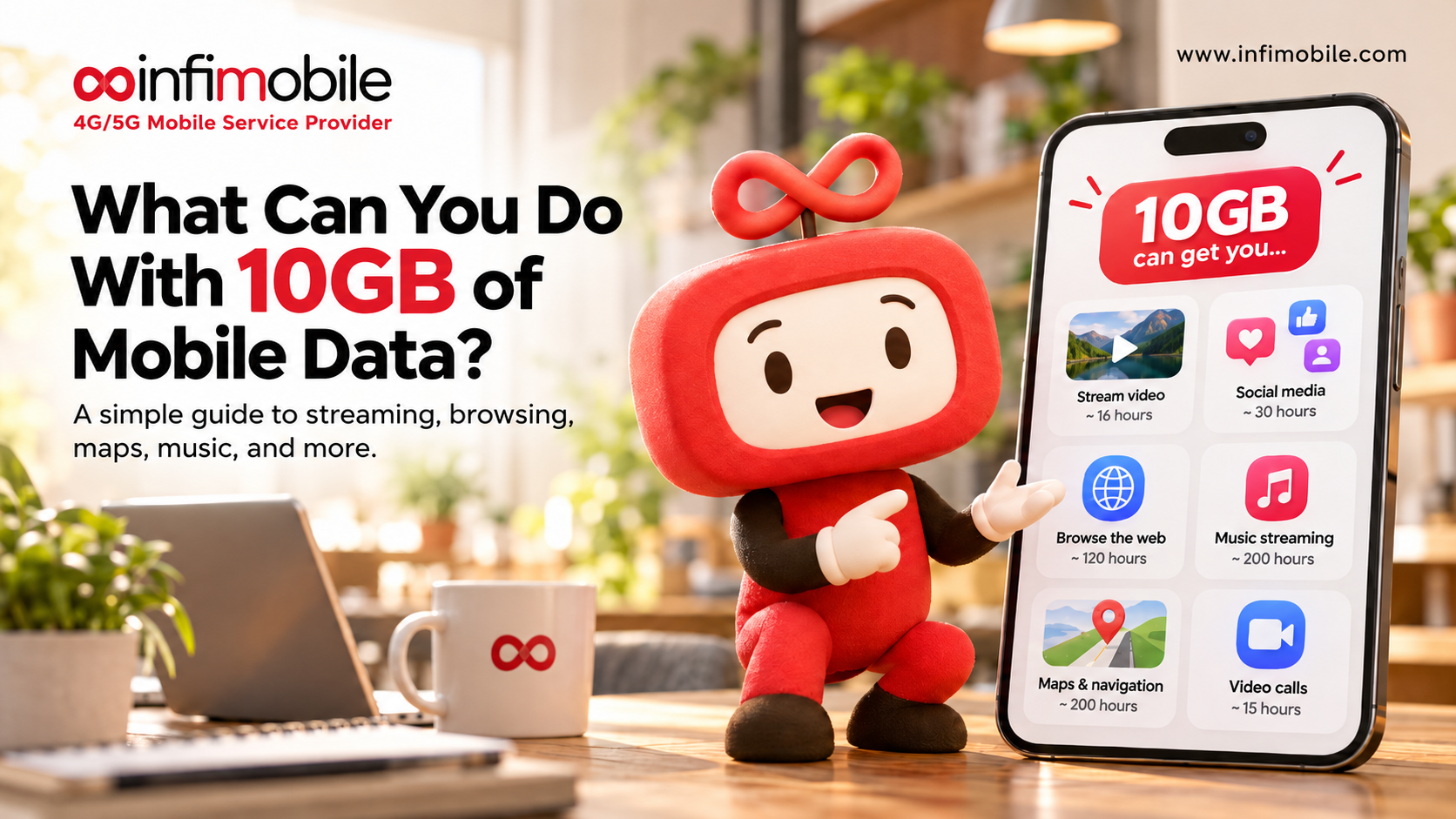
Daily navigation (Google Maps or Waze): Active navigation in an unfamiliar city uses approximately 5 to 10MB per hour. For a visitor using navigation 2 to 3 hours daily, getting to the stadium, finding restaurants, exploring the city, that’s roughly 300 to 600MB per day, or 3GB to 8GB for a 14-day trip.
Social media and photo sharing: Posting Argentina fan content to Instagram, Twitter/X, and TikTok from Dallas uses approximately 100 to 300MB per day for moderate posting activity. Story uploads, reels, and videos consume more. Over two weeks, budget 1.5GB to 4GB for social media.
WhatsApp and messaging: Text messaging uses negligible data. WhatsApp voice calls use approximately 3 to 5MB per minute. Two 10-minute calls home daily over 14 days use approximately 1GB to 1.5GB.
Rideshare apps: Uber and Lyft use very little data, approximately 5 to 15MB per ride request. For daily rideshare use over two weeks, budget 300 to 500MB.
Streaming and video: If you’re watching match highlights, pre-game coverage, or streaming Argentine news and sports content during downtime at your accommodation, streaming consumes 500MB to 1.5GB per hour for HD video. Budget accordingly based on your streaming habits, but if your accommodation has Wi-Fi, keep streaming on Wi-Fi rather than cellular.
Total realistic data estimate for a 14-day World Cup visit: 8GB to 15GB for an active fan who uses navigation daily, posts regularly to social media, makes regular WhatsApp calls home, and keeps video streaming primarily on Wi-Fi. Infimobile’s 20GB monthly allowance covers this comfortably with a buffer remaining.
For fans who stream more heavily on cellular, or who are traveling with multiple devices they want to share data between, consider whether the 20GB plan provides adequate room.
How to Activate Your US SIM Before You Land
The smartest move any Argentina fan can make for World Cup connectivity is completing eSIM activation from Buenos Aires before departure. Here’s the step-by-step process.
Step 1: Confirm eSIM compatibility. Check that your phone supports eSIM using the method described in the eSIM section above. If your phone doesn’t support eSIM, Infimobile also offers a physical SIM card, but order early enough for it to arrive before your departure, or arrange delivery to your US accommodation.
Step 2: Visit Infimobile.com. The signup process is entirely online and available internationally. No US address or US credit card is required; international payment methods are accepted.
Step 3: Select the 20GB plan for $150. Choose the limited-time offer before May 31st to lock in the promotional price. At checkout, select eSIM as your activation method.
Step 4: Receive your QR code. Within minutes of purchase, a QR code arrives in your email.
Step 5: Add the eSIM to your phone. Go to Settings → Cellular or Mobile Data → Add Cellular Plan. Scan the QR code. Your phone downloads the Infimobile eSIM profile. This step can be completed from Argentina; the profile installs on your phone and waits for a US network connection to fully activate.
Step 6: Arrive in Dallas and connect. When your plane lands and you connect to a US cellular network, your Infimobile eSIM activates automatically. By the time you reach the arrivals hall, your US data and number are live.
Step 7: Set Infimobile as your primary data line. In your phone’s settings, confirm that Infimobile is set as the primary line for cellular data while keeping your Argentine SIM for calls and texts on your home number if needed.
Actionable tip: Complete steps 1 through 5 at least a week before your departure. This gives you time to troubleshoot any compatibility issues from home, where you have access to Wi-Fi and support, rather than discovering problems at the airport.
FAQ’S
For Argentina fans traveling to Dallas for the FIFA World Cup 2026, Infimobile’s 20GB annual plan is the strongest option. It offers nationwide US 5G coverage, 20GB monthly data, unlimited US talk and text, eSIM activation from Argentina before departure, and transparent all-in pricing at $150 through May 31st, without roaming charges, hidden fees, or contract commitments.
Yes. Infimobile’s eSIM can be purchased and activated from anywhere in the world. You complete the setup from Buenos Aires, and the eSIM activates US networks the moment you land in Dallas. No airport kiosk visit is required.
WhatsApp calls over your data plan are effectively free and the most practical option, given WhatsApp’s near-universal adoption in Argentina. FaceTime works for iPhone-to-iPhone calls. For landlines, Google Voice and Skype offer calls to Argentine numbers at very low per-minute rates. None of these options requires any international calling plan; they work over your Infimobile data allowance.
A realistic estimate for an active two-week visit is 8GB to 15GB, covering daily navigation, rideshare apps, regular social media posting, WhatsApp calls home, and messaging. Infimobile’s 20GB plan covers this comfortably for most visitors, with room remaining.
For most Argentina fans spending one to two weeks in Dallas who stream video primarily on accommodation Wi-Fi, yes, 20GB is more than sufficient. If you plan to stream matches or heavy video content on cellular throughout the day, you may want to monitor your usage mid-trip.
Yes. Infimobile runs major US carrier networks covering the entire Dallas-Fort Worth metro area, including Arlington, where AT&T Stadium is located. 5G coverage is available throughout the metro area.