With your ticket and flights booked, you’re set for FIFA World Cup 2026, one of the world’s biggest events, spanning 16 U.S. cities from New York to Los Angeles, Miami to Dallas, Atlanta to Seattle.
Your phone buzzes: international roaming rates apply in the U.S. Data: $10/day. Calls home: $1.50/minute. A two-week trip could cost $200 to $350 in phone charges, before you even see any football.
This doesn’t happen to you. International fans traveling to FIFA 2026 have a better option, and the difference between knowing it and not knowing it is the difference between a manageable travel expense and a phone bill that ruins the post-tournament memory.
This guide covers everything you need: why roaming costs so much, the smartest way to avoid it entirely, how to call home for free from any US city, and how Infimobile’s new $25/month plan gives FIFA 2026 fans 20GB of high-speed data, free hotspot, free international calling, and unlimited talk and text – all on one simple monthly plan with no contract.
Table of Contents
- The Roaming Problem: Why It Costs So Much in the USA
- The Smart Solution: A Local US Prepaid Plan
- Infimobile’s $25/Month FIFA 2026 Plan – Everything Included
- What Free International Calling Actually Means for Fans
- Free Hotspot: Why It Matters During the World Cup
- How eSIM Works for International Visitors
- City-by-City FIFA 2026 Connectivity Guide
- How Much Data Do You Actually Need
- Public Wi-Fi in the USA: What to Use and What to Avoid
- How to Activate Before You Land
- Frequently Asked Questions
The Roaming Problem: Why It Costs So Much in the USA
International roaming charges are one of the most reliable financial shocks awaiting international travelers in the United States – and they hit harder here than in almost any other major destination.
Here’s the structural reason. The European Union legally requires carriers to charge domestic rates when customers roam within member states; you’ve likely experienced this if you’ve traveled within Europe and noticed your plan worked normally across borders. The United States has no equivalent regulation. When your carrier from Argentina, Brazil, Morocco, the Netherlands, France, England, or Australia routes your data and calls through a US network partner, they charge whatever commercial roaming rate their agreement permits. Those rates are set to generate profit, not to help you navigate Dallas on match day.
Typical international roaming costs for visitors arriving in the USA from major football nations look like this in practice. Daily data packages from home carriers typically cost $8 to $15 per day for limited data, often ranging from 500MB to 2GB, and must be manually renewed if you exceed the package’s data limit. Per-megabyte roaming without a package runs $5 to $20 per gigabyte at standard rates. International calls from your roaming US number back to your home country cost $0.50 to $2.00 per minute on most plans.
For a FIFA 2026 fan spending 14 days in the US, perhaps following their national team through multiple rounds across multiple host cities, realistic roaming charges at standard rates run $140 to $350. Many fans report bills exceeding $400 on longer trips with heavy data use.
Beyond the direct cost, roaming creates a psychological burden that degrades the travel experience itself. When you know every Google Maps search, every Instagram post, every WhatsApp video call home costs real money, you hesitate. You hunt for Wi-Fi instead of exploring the city. You cut calls home short. You avoid using navigation when you need it most. The connectivity anxiety becomes a constant background stress during what should be the trip of a lifetime.
A local US prepaid plan with known, fixed pricing eliminates every part of this problem. One payment upfront. Use your phone freely. No variable bill waiting when you land home.
Actionable tip: Before your trip, contact your home carrier and ask for the specific per-day and per-MB roaming rate for USA travel. When you see the numbers in writing, the case for a local US plan becomes immediately obvious. Most fans who do this comparison switch without hesitation.
The Smart Solution: A Local US Prepaid Plan
The most cost-effective way to use your phone in the United States as an international visitor is to arrive with a local US prepaid SIM card or eSIM already activated – ideally installed before you board your flight home.
A local US plan means you’re billed at US domestic rates, not your home carrier’s international roaming markup. Domestic US data costs a fraction of roaming data. More importantly, it gives you a US number that works across all 50 states and all 16 FIFA 2026 host cities, covering every stage of the tournament from the group stage through the final.
Here’s what a quality local USA travel SIM or eSIM gives you that roaming doesn’t:
Domestic data rates for navigation, social media, messaging, and streaming. A working US number for Uber, Lyft, restaurant reservations, and US services that function better with a local number. Freedom from per-day roaming packages that expire and must be manually renewed. A single, fixed, known total cost for the entire trip. No surprise bill when you arrive home.
SIM card vs eSIM for international visitors:
A physical SIM card is a removable chip you insert into your phone. It requires either mail delivery before your departure or an airport purchase after landing. Inserting it may mean removing your home SIM if your phone has only one physical SIM tray.
An eSIM is a digital SIM built into your phone hardware, activated by scanning a QR code, from anywhere in the world, before your flight. Compatible phones can run both an eSIM and a physical SIM simultaneously, meaning you keep your home SIM active for incoming calls on your home number while using the US eSIM for all data and US outbound calling.
For FIFA 2026 international fans, eSIM is the cleaner and faster solution. Most flagship smartphones from 2019 onward support it – and Infimobile’s new monthly plan supports both options.
Infimobile’s $25/Month FIFA 2026 Plan – Everything Included
For international fans traveling to the FIFA World Cup 2026 USA, Infimobile has launched a monthly plan that addresses every connectivity need in a single, straightforward package.
20GB of high-speed monthly data at full 5G speeds where available, 4G LTE everywhere else. No artificial throttle during your 20GB. No speed caps before you reach your limit. Full speed on every gigabyte.
Unlimited talk within the USA. Call US numbers as much as you need – Uber drivers, hotel front desks, match day coordination, local contacts. No minute caps, no watching the clock.
Unlimited text messaging. SMS unlimited, throughout your stay.
Free hotspot included. Share your 20GB data allowance with a laptop, tablet, or a second phone. No extra charge. This feature is worth $10 to $20 per month on most competing plans.
Free international calling included. Call back to your home country directly from your US number at no additional charge. No WhatsApp required. No per-minute fees. Call Argentina, Brazil, Morocco, France, England, Germany, the Netherlands, Portugal, Mexico, or wherever home is – directly, freely, from your US plan.
Nationwide 5G and 4G LTE coverage. Infimobile runs on major US carrier networks, covering 99% of the US population across all 50 states. Every FIFA 2026 host city – New York, Los Angeles, Miami, Dallas, Atlanta, Seattle, and all others – is fully covered.
Dual network choice. At signup, you choose between two major US network options based on which they have stronger coverage in your primary destination.
eSIM or physical SIM. Choose digital eSIM activation in under five minutes, or physical SIM delivery. eSIM means you can activate from home before departure.
Zero hidden charges. Zero contracts. $25 is the complete monthly cost. Nothing is added.
The total cost for a World Cup trip:
One month at $25 covers a two-to-four-week tournament visit entirely. For fans attending matches across multiple rounds – potentially six to seven weeks if their team reaches the final – two months at $25 totals $50. Compare that against $200 to $350 in roaming charges for the same period. Saving is not marginal.
Actionable tip: Activate the monthly plan timed to your departure date, not weeks in advance. The plan runs for 30 days from activation, so scheduling it to begin the day before your flight maximizes your coverage window for the trip.
What Free International Calling Actually Means for Fans
The free international calling included in Infimobile’s $25/month plan deserves specific attention, because it’s the feature that most directly addresses a FIFA 2026 fan’s daily needs.
Most US prepaid plans — including many competitors at higher price points – either exclude international calling entirely or offer it as a paid add-on. Infimobile includes it at no extra charge on this plan. Here’s what that practically means for a World Cup traveler.
You can call your family in Buenos Aires, São Paulo, Casablanca, Amsterdam, or London directly from your US phone number. No app is required. No Wi-Fi is required. You dial the international number just as you would from home, and the call goes through – included in your plan.
This matters in situations where WhatsApp and FaceTime aren’t options. Calling a hotel in another city to modify a booking. Reaching a family member who doesn’t use smartphones is important. Call a travel insurance line in your home country. Coordinating with a travel agent back home. Call a bank or credit card company in your home country when your card has an issue. These are real scenarios that happen during international travel, and having direct international calling available without scrambling for an app or a workaround is a genuine practical advantage.
It also eliminates the anxiety of accidentally using your home carrier’s roaming call rate. With Infimobile’s plan active, outbound international calls go through your Infimobile line – not your home carrier’s roaming infrastructure – meaning you pay nothing for them beyond your $25 monthly plan cost.
Actionable tip: When you activate Infimobile and set it as your primary data line, also set it as the default line for outbound calls. This ensures international calls route through Infimobile’s free calling rather than accidentally through your home SIM’s roaming plan.
Free Hotspot: Why It Matters During the World Cup
The free hotspot feature included in Infimobile’s $25/month plan is worth examining separately, because hotspot access at a World Cup changes how you travel.
Sharing data with travel companions:
If you’re traveling with friends or family – a common pattern for World Cup supporter groups — a single Infimobile plan with a hotspot can provide data to multiple people simultaneously. One person’s $25 monthly plan can serve as the connectivity hub for a group of two to four people with moderate usage, particularly when combined with other members’ own plans.
Using your laptop or tablet on the road:
Many fans spend evenings in their accommodation catching up on match highlights, planning the next day’s activities, or handling work email. Hotel Wi-Fi quality in the US is variable. Your Infimobile hotspot provides a reliable, private connection for laptop use that doesn’t depend on how many guests are simultaneously using the hotel network.
Match research and ticketing:
Secondary ticket markets, official FIFA resale platforms, and fan group coordination often require sustained, reliable internet access. Having a hotspot available means you can manage this on a laptop with a full browser rather than a phone screen, which makes a meaningful difference when navigating complex ticketing platforms.
Stadium connectivity backup:
Inside US World Cup venues during match time, cellular networks experience significant congestion as tens of thousands of fans simultaneously try to post, call, and stream. Your hotspot won’t solve stadium congestion – that’s a tower-capacity issue – but it means you have a reliable private connection in the hours before and after the match, when you need rideshare apps, navigation, and coordination tools working at full speed.
Traditional US carriers frequently charge $10 to $20 per month for extra to enable hotspot on a plan where it isn’t included by default. Infimobile’s $25/month plan includes it as standard. For a one-month World Cup stay, that’s an immediate $10 to $20 saving on a feature you’d otherwise pay extra for.
How eSIM Works for International Visitors
eSIM is the technology that makes activating a US phone plan from another country genuinely simple. Here’s everything international FIFA 2026 fans need to know.
What is an eSIM?
A physical SIM card is a removable chip that stores your carrier’s credentials. An eSIM is a chip permanently embedded in your phone hardware that performs the same function – but instead of being physically swapped, it’s programmed digitally by scanning a QR code. You can install multiple carrier profiles on a single eSIM and switch between them in your phone settings. No physical card. No waiting for the mail. No airport kiosks.
Which phones support eSIM:
iPhone XS, XR, and all models released afterward – including iPhone 14, 15, and 16 – support eSIM. Note that iPhone 14 and newer US models are eSIM-only with no physical SIM tray. International versions of these phones typically support both a physical SIM and eSIM simultaneously, which is ideal for World Cup travelers who want to keep their home number active alongside a US eSIM.
Samsung Galaxy S20 and all newer Galaxy flagship models support eSIM. Google Pixel 3 and all newer Pixel models support eSIM. Most flagship smartphones from major global manufacturers released from 2020 onward support eSIM, including phones sold in Argentina, Brazil, Morocco, France, England, Germany, Portugal, Mexico, the Netherlands, and virtually every other country sending significant fan groups to FIFA 2026.
How to check eSIM compatibility:
On iPhone: go to Settings → General → About. Scroll down and look for an “Available SIM” or an EID number. If either appears, your phone supports eSIM.
On Android: go to Settings → Connections or Network → SIM Card Manager. If you see an “Add eSIM” or “Download SIM” option, your phone supports eSIM.
The activation process for Infimobile eSIM:
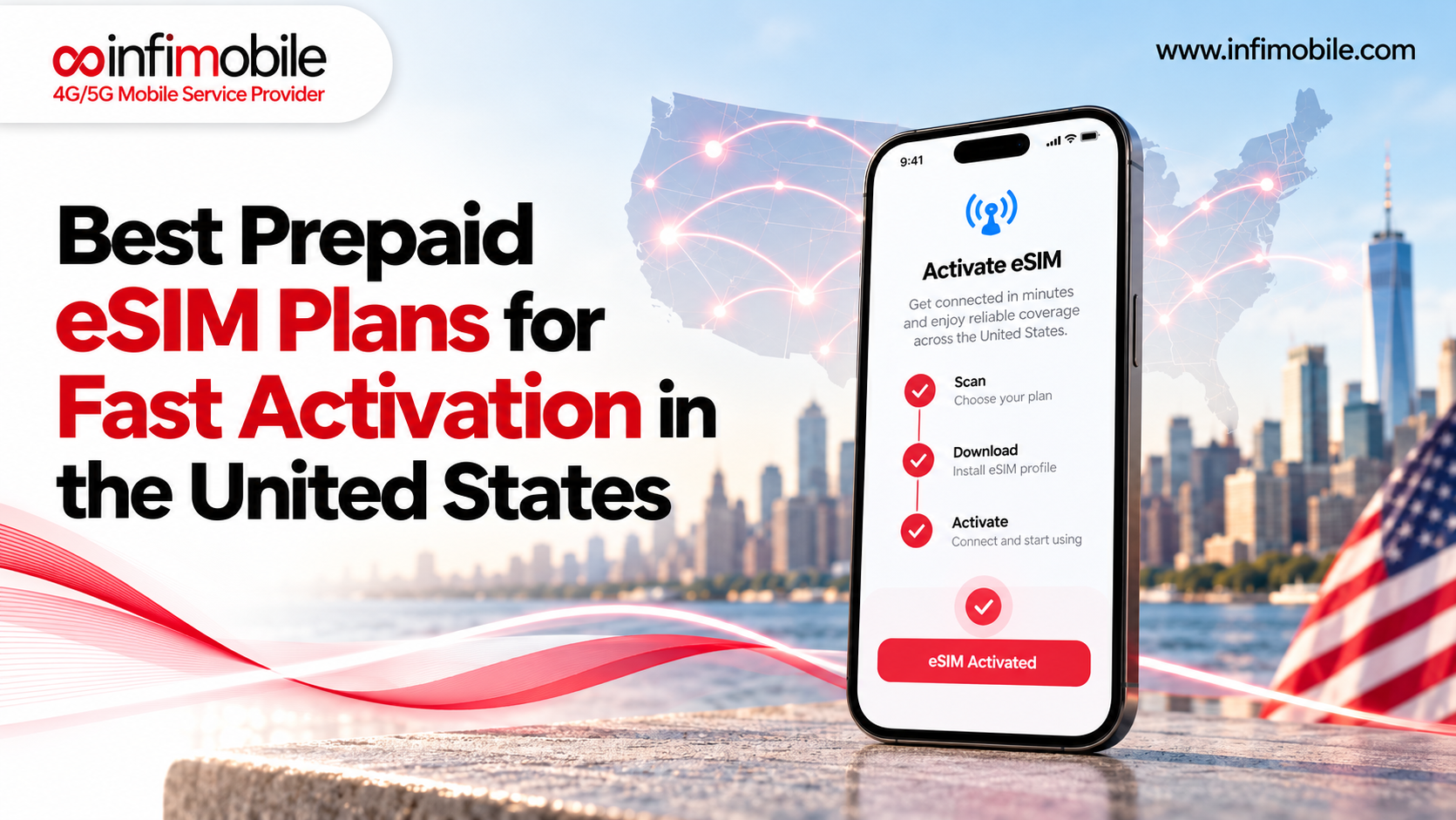
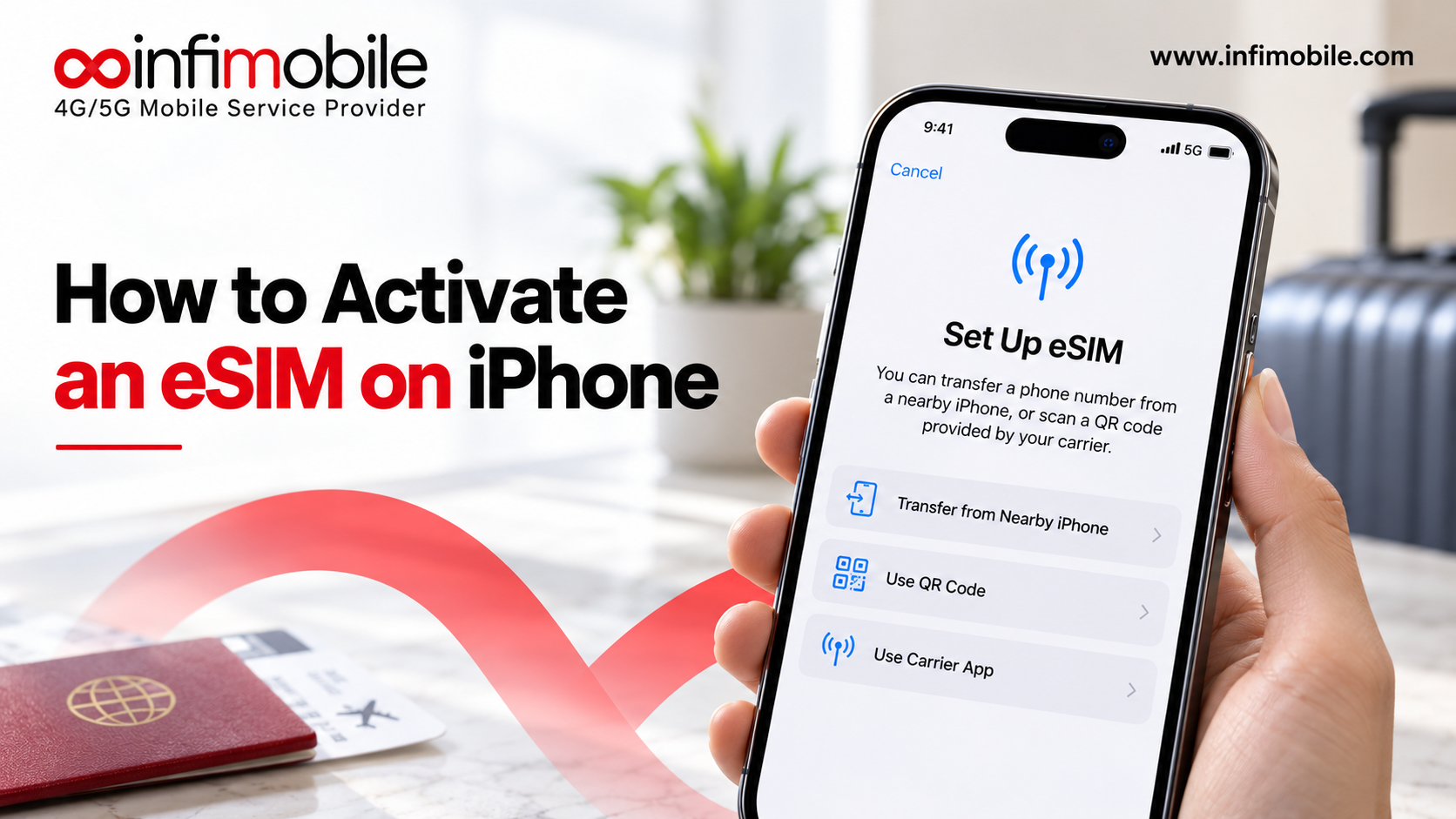
Visit Infimobile.com and purchase the $25/month plan, select eSIM at checkout. A QR code arrives in your email within minutes. On your phone, go to Settings → Cellular (iPhone) or SIM Card Manager (Android) → Add Cellular Plan. Scan the QR code. The eSIM profile is downloaded in approximately 30 seconds. Restart your phone – the profile is installed and waiting for a US network connection.
When your flight lands and your phone connects to a US cellular tower, Infimobile activates automatically. By the time you reach the arrivals hall, your US data, US number, and free international calling are live.
The dual SIM advantage:
Most modern smartphones support dual SIM – one physical card and one eSIM running simultaneously. This means your home country’s SIM stays on your phone for incoming calls on your home number, while Infimobile handles all US data, navigation, outbound calling, and free international calls. Both lines operate in parallel. You choose which line to use for each call or set Infimobile as the default for data and outbound calls.
Actionable tip: Install the Infimobile eSIM from home before your departure. If anything doesn’t scan cleanly or your phone settings don’t behave as expected, you have your home Wi-Fi connection, familiar surroundings, and time to resolve it. Troubleshooting eSIM activation at an airport after a long international flight is an avoidable stress.
City-by-City FIFA 2026 Connectivity Guide
The FIFA World Cup 2026 is hosted across 16 US cities. Here’s what international fans need to know about connectivity in the venues most likely to attract the largest international fan contingents.
New York City / New Jersey
MetLife Stadium in East Rutherford, New Jersey, hosts some of the tournament’s most significant matches, including the final. New York City has among the densest 5G coverage of any city in the world – all major US networks have invested heavily in NYC metro infrastructure. Infimobile provides strong coverage across New York City and New Jersey on both available network options. The subway system has expanded cellular coverage in stations, though deep underground sections can still drop signal. Rideshares are the primary match-day transport for most visitors.
Los Angeles
SoFi Stadium in Inglewood hosts multiple matches, including a semifinal. Los Angeles is a vast, car-dependent metro where navigation apps are genuinely non-negotiable. Without active data and GPS, getting around LA is significantly harder than in other US cities. 5G coverage across greater Los Angeles is extensive. Uber and Lyft are the practical transport solutions for most international fans, and both require a working data connection at all times.
Miami
Hard Rock Stadium in Miami Gardens hosts several matches. Miami is one of the most culturally accessible US cities for Latin American and European fans – Spanish is widely spoken throughout the city, and the food, nightlife, and cultural landscape in neighborhoods like Brickell, Wynwood, and Little Havana feel familiar to visitors from South America and Europe. Strong 5G coverage across Miami-Dade County. Restaurant reservations in popular Miami neighborhoods will be essential on match days and worth booking in advance via the app.
Dallas
AT&T Stadium in Arlington sits approximately 20 miles west of downtown Dallas, making rideshares or official shuttles the primary transport option for most visitors. Dallas-Fort Worth has extensive 5G coverage across the entire metro area, including Arlington. Dallas in June and July regularly reaches 95°F to 105°F – having data active for finding air-conditioned venues, water stations, and rest points during a match day is a practical safety consideration, not just convenience.
Atlanta
Mercedes-Benz Stadium in downtown Atlanta is one of the most modern and well-equipped venues in the tournament. Atlanta has strong 5G coverage throughout the city and inner suburbs. The MARTA rail system connects the stadium to Atlanta’s major hotel districts and the airport – one of the more transit-friendly venue access situations in the entire tournament. Rideshare backup is still recommended for off-hours travel.
Seattle
Lumen Field in Seattle hosts matches in the coolest weather environment of any US venue – a genuine advantage for fans arriving from South America or North Africa who may find the heat in Dallas or Miami challenging. Seattle has strong 5G coverage and is one of the most tech-forward cities in the US. The city’s geography – water on multiple sides, with ferry routes supplementing roads and bridges – makes GPS navigation particularly useful for visitors unfamiliar with Seattle’s layout.
Coverage across all cities:
Infimobile’s dual network choice at signup means you select the major US network with a stronger signal in your primary destination. Both available network options provide 5G and 4G LTE coverage across all six cities described above and all remaining FIFA 2026 host cities. Coverage quality is strong regardless of which city or combination of cities your tournament itinerary takes you to.
Actionable tip: If your itinerary takes you across multiple host cities – common for fans whose national team advances deep into the tournament – download offline Google Maps for each city you plan to visit. This guarantees navigation works even during brief periods of poor cellular connectivity in crowded areas.
How Much Data Do You Actually Need
Choosing between a 20GB plan and alternatives comes down to honest usage estimation. Here’s a realistic breakdown for an international fan spending 10 to 14 days in the United States following FIFA 2026.
Navigation via Google Maps or Waze uses approximately 5 to 10MB per hour of active turn-by-turn guidance. For a visitor using navigation 2 to 4 hours daily across an unfamiliar city, that’s 300MB to 600MB per day – roughly 4GB to 8GB over two weeks.
Social media posting and browsing on Instagram, TikTok, Twitter/X, and Facebook consume approximately 100MB to 500MB per day, depending on how much video content is involved. Regular posting over 14 days adds 1.5GB to 7GB.
WhatsApp voice calls use approximately 3 to 5MB per minute. Two 15-minute calls home daily over 14 days use roughly 1.3GB to 2.1GB. With Infimobile’s free international calling included, you can also make direct calls without any data usage at all, which preserves your 20GB for other activities.
Rideshare apps, hotel booking, event ticketing, weather apps, and general web browsing combined use approximately 200 to 400MB per day, 3GB to 5.5GB over two weeks.
Video streaming at accommodation consumes 500MB to 1.5GB per hour for HD content. Keeping streaming on accommodation Wi-Fi dramatically reduces this figure.
Hotspot sharing with travel companions, if used, adds to the overall data consumption. Light laptop browsing via a hotspot uses approximately 50MB per hour. Video calls through a hotspot use 300MB to 500MB per hour.
Realistic total for a 14-day World Cup visit: 10GB to 17GB for an active fan navigating daily, posting regularly, making calls home, using rideshares, and keeping heavy streaming on Wi-Fi. Infimobile’s 20GB monthly plan covers this range with a buffer for most international visitors.
Public Wi-Fi in the USA: What to Use and What to Avoid
Many international visitors plan to supplement their data plan with free public Wi-Fi throughout the US. This works in some situations and fails in others.
Where public Wi-Fi is reliable:
Hotels and accommodation properties in the US almost universally offer Wi-Fi. Quality varies significantly by property and occupancy level – a fully booked tournament hotel may have slower Wi-Fi than usual. Use hotel Wi-Fi for streaming, video calls, large downloads, and any data heavy. Reserve your cellular plan for on-the-go use.
Major US airport terminals – JFK, LAX, MIA, DFW, ATL, SEA – offer free Wi-Fi throughout. Starbucks, McDonald’s, and major US chain restaurants offer free Wi-Fi with reasonable quality for basic browsing. Public libraries in most US cities offer free, reasonably fast Wi-Fi.
Where public Wi-Fi is unreliable:
Inside stadiums during FIFA matches, Wi-Fi infrastructure is severely stressed by concurrent users. Tens of thousands of fans simultaneously trying to upload photos, make calls, and check social media overwhelm even well-provisioned venue Wi-Fi. Treat cellular data as your primary connection at and around match venues and assume stadium Wi-Fi will be effectively unusable during kickoff, halftime, and full-time.
At outdoor fan zones, Wi-Fi coverage is inconsistent and almost always overloaded with large crowds. For rideshare booking immediately after matches, when thousands of fans simultaneously request cars, a working cellular connection is significantly more reliable than hunting for public Wi-Fi.
The security consideration:
Open public Wi-Fi networks without a password carry real security risks. Avoid logging into banking apps, credit card accounts, or any sensitive personal accounts on open Wi-Fi. Use your Infimobile cellular data for anything requiring a financial or personal account login. A practical rule: if the network requires no password, treat it as potentially observable and keep sensitive activity on cellular.
Actionable tip: Download all apps you’ll need – Uber, Lyft, Google Maps, your FIFA ticketing app, WhatsApp, Google Translate, and your accommodation app – before departure on home Wi-Fi. Pre-downloaded offline Google Maps for each host city provides navigation backup that works without any data connection.
How to Activate Before You Land
The single best connectivity decision FIFA 2026 international fans can make is completing eSIM activation from home before boarding the outbound flight. Here is the exact process.
Step 1: Confirm eSIM compatibility. Use the method described in the eSIM section above. If your phone doesn’t support eSIM, order Infimobile’s physical SIM with enough lead time for delivery before your departure or arrange delivery to your US accommodation.
Step 2: Visit Infimobile.com. The signup process is fully online, available internationally, and requires no US address or US credit card.
Step 3: Select the $25/month plan. Choose the plan that includes 20GB data, unlimited talk and text, free hotspot, and free international calling. Select eSIM as your activation method at checkout.
Step 4: Receive your QR code. This arrives in your email within minutes of purchase.
Step 5: Install the eSIM profile. Follow the phone-specific steps from the eSIM section. The profile installs on your phone. It shows “No Service” until you connect to a US network – this is normal.
Step 6: Configure your dual SIM settings. Set Infimobile as your primary cellular data line. Keep your home SIM as the line for calls and texts on your home number. Set Infimobile as the default for outbound calls to ensure international calls route through the free international calling feature rather than your home carrier’s roaming rates.
Step 7: Land in the USA connected. When your phone connects to a US cellular tower in the arrival terminal, Infimobile activates automatically. Your data, US number, free hotspot, and free international calling are live before you reach baggage claim.
Step 8: Test immediately. Open Google Maps and confirm navigation is working on Infimobile data. Make a brief test call to a contact in your home country using the direct call function – confirming the free international calling is routing through Infimobile correctly. Send a WhatsApp message to confirm that the data is active. You’re fully set for the tournament.
Actionable tip: Complete steps one through five at home at least three to five days before your departure. This gives you time to resolve any compatibility or settings issues in a familiar environment with reliable Wi-Fi. Discovering an eSIM installation problem at the departure gate is avoidable with a small amount of advance preparation.
FAQ’S
Activate a local US prepaid plan before you arrive. Infimobile’s $25/month plan gives international fans 20GB of high-speed data, unlimited US talk and text, free hotspot, and free international calling on major US network infrastructure — for a fixed monthly cost that’s a fraction of what standard roaming charges would total over a two-week World Cup visit.
Yes. Infimobile’s eSIM can be purchased and installed from anywhere in the world. You complete the setup at home before your flight, and the eSIM activates automatically when your phone connects to a US network tower upon arrival.
Yes. International calling is included in Infimobile’s $25/month plan at no extra charge. You can call back to your home country directly from your US Infimobile number without any per-minute fees or additional charges.
The hotspot feature lets you share your 20GB data allowance with other devices — a laptop, a tablet, or another person’s phone. No extra monthly charge applies. Traditional US carriers often charge $10 to $20 per month separately for this feature.
Infimobile covers all FIFA 2026 host cities including New York City, Los Angeles, Miami, Dallas, Atlanta, Seattle, and all remaining host cities across the USA. Coverage reaches 99% of the US population on major US carrier infrastructure.