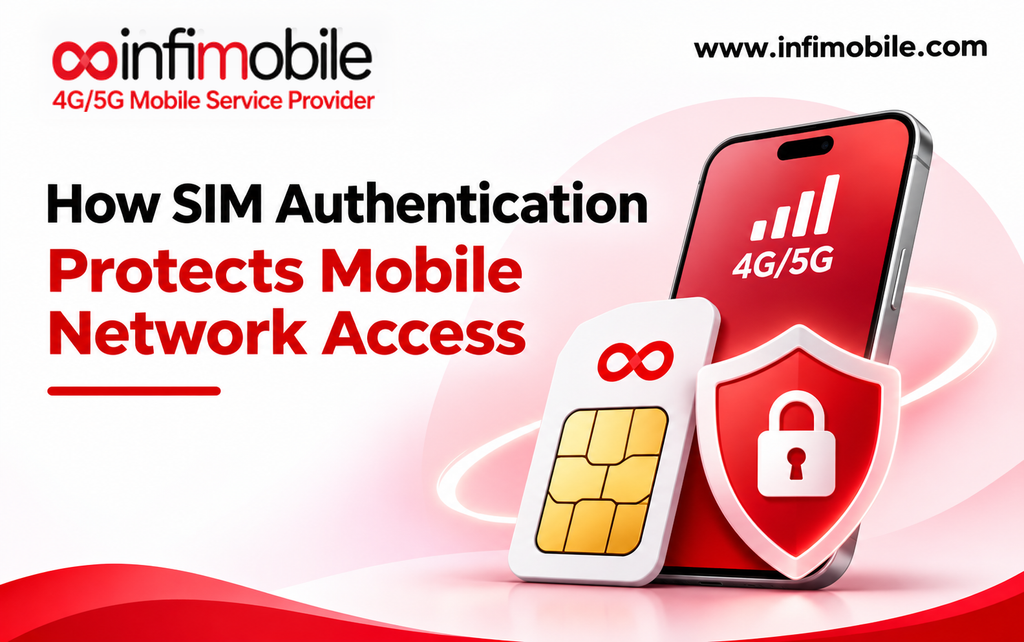
Every time you turn on your phone, a quiet security check happens before you can place a single call. Your phone and the mobile network each have to prove to the other that they are who they claim to be. If either side fails the check, you don’t get service. This process, called SIM authentication, is one of the oldest and most important security layers in wireless, and it runs behind the scenes every time you connect.
This guide explains SIM authentication in plain language, how 5G and eSIM fit in, what it protects (and what it doesn’t), and how to keep your SIM and number secure.
Table of Contents
- Short-answer
- Why Mobile Networks Need Authentication
- What’s Inside a SIM
- How SIM Authentication Works, Step by Step
- What Happens After Authentication
- What 5G Improved
- eSIM Authentication
- Limits
- Sim-swap
- How to Protect Your SIM and Number
- SIM Security and Infimobile
- FAQs
The Short Answer
SIM authentication is a cryptographic check between your SIM and the mobile network. The network sends your SIM a random challenge. Your SIM uses a secret key that never leaves the card to compute an answer. The network checks that answer, and in modern networks, the SIM also verifies the network’s authenticity. Only if everything matches do you get service, along with fresh keys that protect your calls and data.
Three things make this approach powerful:
- The secret key is never sent over the air. Only the results of calculations travel between the phone and network.
- Each challenge is different. You can’t replay a recorded answer later.
- Both sides prove themselves. Since 3G, the SIM can also check the network, not just the other way around.
Why Mobile Networks Need Authentication
Unlike a cable at your home, a mobile network is open to anyone within radio range. Without authentication, anyone could impersonate your number, make calls on your account, or read your traffic. Operators also need to know which subscriber is connecting so they can apply the right plan and route calls correctly.
Authentication solves two problems at once: it proves the subscriber is genuine, so only paying customers use the network, and it proves the network is genuine, so your phone isn’t tricked into connecting to an impostor.
What’s Inside a SIM
A SIM is a small secure chip, not just a piece of plastic. The parts that matter for authentication are:
- A subscriber identity. Traditionally called the IMSI, this identifier lets the network recognize your subscription. In 5G, it’s called the SUPI (Subscription Permanent Identifier).
- A secret key, usually called K. This long-term secret is shared only between your SIM and your operator’s secure systems. It’s designed so it can’t be read from the card.
- Security algorithms. The SIM runs cryptographic functions that turn a challenge and the secret key into a response.
- A serial number. The ICCID printed on the card identifies the physical SIM itself and is used for tasks like activation. It’s different from the secret key.
The SIM’s secure design is the whole point. Your phone challenges the SIM, and the SIM returns answers, but the key stays inside.
How SIM Authentication Works, Step by Step
The exact protocol has several names depending on the generation, such as AKA (Authentication and Key Agreement), and in 5G the main variants are 5G AKA and EAP-AKA’. The overall flow is similar across them. In simplified form:
- Your phone identifies itself. When it connects, the phone sends an identifier so the network knows which subscriber to check. In 5G, this identifier is concealed, which we’ll cover below.
- The network creates a challenge. Your operator’s home network looks up the secret key for that subscription, generates a random number called RAND, and computes an authentication token called AUTN. It also works out the answer it expects, called XRES.
- The phone passes the challenge to the SIM. The network sends RAND and AUTN to your phone, which hands them to the SIM.
- The SIM checks the network. Using its secret key, the SIM verifies that AUTN is valid and fresh. If it isn’t, the SIM refuses, which protects against fake networks and replayed messages.
- The SIM computes its answer. If AUTN checks out, the SIM uses RAND and the secret key to compute a response, called RES, and returns it.
- The network verifies the response. If RES matches what the network expected, you’re authenticated.
- Both sides derive keys. From the same inputs, the SIM and network each generate fresh session keys, without ever sending them.
A quick glossary:
| K | The secret key shared by the SIM and the operator, never sent over the air |
| RAND | A random challenge generated by the network |
| AUTN | A token that lets the SIM verify the network is genuine and the challenge is fresh |
| RES / XRES | The SIM’s answer and the network’s expected answer |
Because RAND is different every time, an eavesdropper who records one exchange can’t reuse it. And because the secret key never travels, intercepting the radio traffic doesn’t reveal it.
What Happens After Authentication
Authentication isn’t just a gate. It also produces the keys that protect the rest of your session. From the same calculation, the SIM and the network derive a cipher key, used to encrypt traffic, and an integrity key, used to ensure signaling messages haven’t been tampered with. Newer generations use these results to build a hierarchy of further keys for different purposes.
In practice, the radio link between your phone and the tower is encrypted and integrity-protected using keys that only your SIM and the network could have produced.
What 5G Improved
5G kept the core challenge-response approach but strengthened several things:
- Concealed identity. Earlier generations could expose the subscriber identifier over the air in some situations, which raised privacy and tracking concerns. In 5G, the phone encrypts its permanent identifier using the home network’s public key, producing the SUCI (Subscription Concealed Identifier). Only the home network can decrypt it. This makes it much harder for someone listening in to track which subscriber is connecting.
- Home network control. The home operator verifies the SIM’s response itself before releasing keys to the network you’re connected to. That keeps the final authentication decision with your own operator, even when you’re roaming.
- Binding to the serving network. Authentication results are tied to the identity of the network serving you, which helps prevent one network from impersonating another.
As with any security system, the strength of the whole depends on how well operators protect their secret keys and implement the standards.
eSIM Authentication
An eSIM is a digital SIM. Instead of a removable card, it uses a secure chip built into the phone, often called an eUICC, that can hold one or more operator profiles. A profile is the digital equivalent of a SIM’s contents: the identity, the secret key, and the settings.
Here’s how it differs from a physical SIM:
| Hardware | Removable card | Secure chip built into the device |
| Delivery | Shipped or purchased | Downloaded using an activation code or QR code |
| Authentication | Challenge-response with the stored key | The same challenge-response with the profile’s key |
| Switching devices | Move the card | Reinstall or transfer the profile through the provider’s process |
The authentication that connects you to the network works the same way. What’s different is how the profile gets onto the device, which is done through a secure provisioning process. That’s why an eSIM activation code or QR code should be treated as sensitive: it’s what lets a profile be installed.
What SIM Authentication Doesn’t Protect Against
SIM authentication protects the connection between your SIM and the network. It isn’t a complete shield, and it’s worth being clear about what it doesn’t cover:
- Your phone’s software and apps. Malware isn’t stopped by SIM authentication.
- Phishing and scams. If someone tricks you into giving up a password or code, authentication can’t help.
- Unsecured Wi-Fi. Traffic on a Wi-Fi network isn’t protected by your SIM’s keys.
- Text-message codes. SMS codes can be intercepted or redirected if someone takes over your number, which is why account-level fraud matters.
- Stolen accounts. If someone convinces a carrier to move your number to a different SIM, the network will authenticate that SIM perfectly well, because it’s now the legitimate SIM for the number. That’s the basis of one of the most common attacks on mobile users.
SIM Swap and Port-Out Fraud
In a SIM swap attack, a fraudster impersonates you and persuades your carrier to move your number to a SIM or eSIM they control. In a port-out attack, they have the number transferred to a different provider. Either way, the attacker doesn’t break the cryptography. They take over the account, then use your number to receive texts, reset passwords, and reach other accounts.
Regulators have responded. In November 2023, the FCC adopted rules to protect consumers from SIM swap and port-out fraud, with a compliance date of July 8, 2024. The rules require wireless providers to:
- Use secure methods to authenticate customers before a SIM change or number port-out. The FCC cautioned that readily available biographical details, account information, and recent payment information don’t count as secure.
- Notify customers immediately of SIM change and port-out requests, before the change is completed.
- Offer an account lock option that blocks SIM changes and port-outs, at no cost, to prepaid and postpaid customers alike.
- Have a clear process for reporting fraud, investigate it promptly, and give customers documentation.
- Train employees and keep records of SIM change requests and the authentication used.
These rules raise the bar for attackers, but they don’t replace your own precautions.
How to Protect Your SIM and Number
A few simple steps cover most of the risk:
- Set a SIM PIN. In your phone’s settings, you can require a PIN before the SIM can be used. If someone puts your SIM in another phone, they’ll need the PIN. After a small number of wrong guesses, the SIM typically locks and requires a longer PUK code to unlock, and too many wrong PUK attempts can permanently block it. Keep your PUK code somewhere safe.
- Use your carrier’s account protections. Set an account PIN or passcode, and turn on any available account lock or port-out protection.
- Keep transfer PINs private. Never share a transfer PIN or activation code with anyone who contacts you unexpectedly.
- Use strong, unique passwords and an authenticator app for important accounts, not just text-message codes.
- Watch for warning signs, such as sudden loss of service, unexpected texts about SIM or port-out requests, or password-reset messages you didn’t request. If service suddenly drops, contact your provider right away.
- Treat eSIM QR codes like passwords. Install them promptly and don’t share them.
SIM Security and Infimobile
Infimobile is a mobile virtual network operator, which means it doesn’t own cell towers. Your line runs on a host network, Verizon or T-Mobile depending on your plan, and for most MVNOs the core authentication process happens within the host network’s systems.
A few Infimobile-specific points are worth knowing:
- Activation uses details printed on your SIM card. According to Infimobile’s help center, activation uses the 8-digit activation code on the card and the last 10 digits of the ICCID, which begins with 8914800000. Keep those details private until you’ve activated.
- SIM or eSIM. Most plans come with a 3-in-1 physical SIM kit that includes standard, micro, and nano sizes, and eSIM is available where your phone supports it. Setup instructions for an eSIM are sent after you order, so protect that information.
- Port-in security. When you bring your number to Infimobile, your old carrier requires you to authenticate with an account number and a transfer PIN. That’s a safeguard, so turn off any number lock you’ve enabled only when you’re ready to move.
- Ask about account protections. Federal rules require wireless providers to offer an account lock option. Contact Infimobile support at +1 (855) 484-1855 at support@infimobile.com to ask what protections apply to your line.
- Check compatibility first. You’ll need an unlocked phone with 5G or 4G LTE and VoLTE support. Check your IMEI at infimobile.com/compatible.
Frequently Asked Questions
It’s a cryptographic check between your SIM and the mobile network. The network sends a random challenge; the SIM computes a response using a secret key that never leaves the card, and the network verifies it. In modern networks, the SIM also verifies the network, so both sides prove they’re genuine.
Modern SIMs are designed to protect their secret key so it can’t be read out, which makes cloning very difficult. The more common threat is not cloning but SIM swap fraud, where an attacker convinces a carrier to move your number to a SIM they control. Protect your account with a PIN and an account lock.
An eSIM uses the same style of authentication as a physical SIM, with a secure chip holding the profile and its key. Its main practical risk is the activation code or QR code used to install it, which should be treated as sensitive and used promptly.
A SIM PIN is a code your phone requires before the SIM can connect. It helps if your SIM is stolen and put into another phone. After a few wrong attempts, the SIM typically locks and requires a PUK code, so keep that code safe. It’s a worthwhile extra layer for most people.
Infimobile is an MVNO, so your line is authenticated on the host network it runs on, Verizon or T-Mobile, depending on your plan. Infimobile provides the SIM or eSIM and your account. Contact support to ask about account protections available on your line.
SIM authentication is the quiet security check that keeps mobile networks trustworthy, and it works best alongside good habits on your side: a SIM PIN, account protections, private transfer codes, and attention to warning signs. To check your phone and coverage before you switch, visit infimobile.com/compatible and see current plans at infimobile.com/plans.