If you are ready to set up Dual SIM on your iPhone, commonly called the iPhone Duo setup, and you are considering Infimobile as your provider, here is the good news upfront: most iPhones from the iPhone XS onward are compatible with Infimobile’s eSIM service. Before you activate a plan, though, it is worth taking one simple step first, running your phone’s IMEI number through Infimobile’s compatibility checker. It takes about a minute and confirms your specific device is ready before you commit to anything.
Below, we will explain what an IMEI compatibility check actually does, walk you through how to run one on Infimobile’s website, and show you exactly how eSIM activation works once you are ready to go.
What Is an IMEI, and Why Does It Matter Here?
Every iPhone has an IMEI, or International Mobile Equipment Identity, a unique 15 digit number that identifies that exact device, separate from your phone number or SIM card. Think of it as your phone’s serial number for network purposes. Carriers use it to confirm a device supports the right network technology before service is activated on it.
This matters for iPhone Duo users in particular, since running two lines through eSIM depends on your device and its software being properly recognized by the network. Running an IMEI check is not about doubting whether your phone works, it is about confirming your exact unit is cleared before you spend money on a plan.
How to Find Your iPhone’s IMEI Number
There are two quick ways to find it.
Through Settings: go to Settings, then General, then About, and scroll down to find the IMEI listed near the bottom.
Through the dial pad: open your Phone app and dial *#06#. Your IMEI will appear on screen instantly, no need to actually place a call.
If you have a dual eSIM iPhone, you may see two IMEI or EID numbers listed, one for each SIM slot. Either identifier works for a compatibility check.
How to Check Compatibility on Infimobile’s Website
Before purchasing a plan, Infimobile provides a Compatibility Checker tool directly on its website. Here is how to use it.
1. Go to Infimobile’s website and locate the Compatibility Checker tool, typically found under support or bring your own device resources.
2. Enter your iPhone’s IMEI number when prompted.
3. The tool will confirm whether your device is GSM and VoLTE compatible with Infimobile’s network.
4. If your device is confirmed compatible, you can move forward with choosing a plan and activating your eSIM line.
This step takes less time than deciding which plan to buy, and it removes any guesswork about whether your specific iPhone Duo setup will activate smoothly.
Why iPhone Duo Users Should Check Compatibility First
Even with a modern, unlocked iPhone, running the IMEI check before you buy a plan is still a smart move, especially since Dual SIM depends on both your existing line and your new eSIM line working correctly together. It confirms your exact unit is cleared on Infimobile’s network before you spend any money, rather than after. This is especially useful if you want to activate the same day you purchase your plan, if you are adding a second line for work or travel and want everything to line up smoothly, or if you simply want peace of mind before committing.
It is a quick step, and it means the rest of the process, from purchase to active service, goes without a hitch.
How Does eSIM Activation Work With Infimobile?
This is one of the biggest advantages of setting up your iPhone Duo through Infimobile, activation is fast. Once you have purchased your plan, setting up your eSIM typically takes just 5 to 10 minutes, start to finish. There is no waiting for a SIM card to arrive in the mail and no need to physically swap anything inside your phone.
Here is what that process looks like.
1. Purchase your Infimobile plan online.
2. Receive your eSIM activation details, usually a QR code or a direct install link.
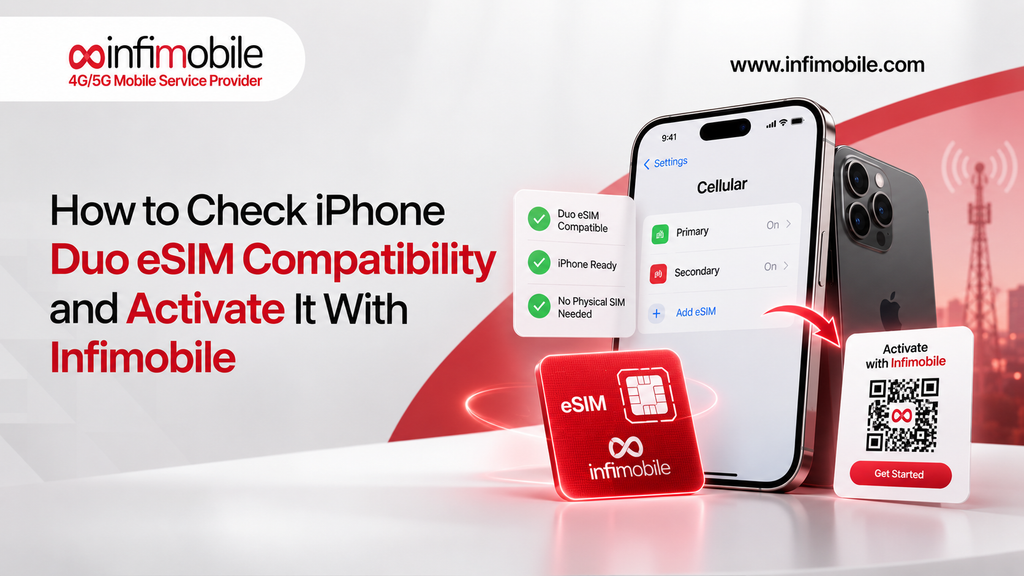
3. On your iPhone, go to Settings, then Cellular, then Add eSIM, and scan the QR code or follow the direct install prompt.
4. Confirm the new eSIM as your active line, or set it as your secondary line if you already have a primary number in place.
5. Wait a few minutes for network registration to complete.
That is it. Within minutes, your iPhone Duo setup is fully connected to Infimobile’s network, running two lines on one device.
Step-by-Step, From Compatibility Check to Active Service
1. Find your IMEI number using Settings or the *#06# dial code.
2. Run it through Infimobile’s Compatibility Checker on their website.
3. Choose your plan based on your data needs.
4. Purchase and activate your eSIM, using the QR code or direct install link provided.
5. Confirm your new line is active, which usually takes just a few minutes.
6. Set up Wi-Fi Calling and Hotspot on your new line, if you plan to use either feature.
With a compatible phone and no carrier lock to work around, this entire process from start to finish rarely takes more than fifteen minutes.
Frequently Asked Questions
Find your IMEI number under Settings, then General, then About, or by dialing *#06#, then enter it into Infimobile’s Compatibility Checker tool on their website before purchasing a plan.
Most iPhone Duo setups use one physical SIM plus one eSIM, or two eSIMs on newer US models with no physical SIM tray. Either way, activating a line with Infimobile happens through eSIM setup.
If your iPhone was purchased unlocked or your existing carrier contract has ended, there is no carrier lock to remove. If you are unsure, Infimobile’s Compatibility Checker will confirm your device status during the check.
Activation typically takes just 5 to 10 minutes from start to finish, since the entire process happens digitally through a QR code or direct eSIM install link.
Yes. iPhone Duo is designed for exactly this, your existing number can stay active on one line while your new Infimobile eSIM runs as a second line for work, travel, or personal use.
Final Thoughts
Setting up iPhone Duo with Infimobile is straightforward once you know the steps. Running a quick IMEI check through Infimobile’s Compatibility Checker before you buy confirms your specific device is cleared, and since most modern iPhones use eSIM for a second line, activation is simpler than dealing with physical SIM cards.
Once you are ready, activating your eSIM takes just 5 to 10 minutes, so you can go from purchase to fully connected without any waiting around. Whether you want a second line for work, travel, or privacy, Infimobile’s compatibility check and instant activation make the whole process easy to manage from your phone.
Ready to get started? Visit Infimobile, run your iPhone’s IMEI through the Compatibility Checker, and activate your eSIM in minutes.