For many people, the biggest reason to stay with an expensive carrier isn’t the service. It’s the phone number. That number is tied to your bank logins, two-factor codes, doctor’s office, group chats, and every contact who has ever saved you. The idea of losing it feels like too big a risk, even when a cheaper plan is sitting right there.
Here’s the good news: you don’t have to lose it. Switching carriers and keeping your number is a standard, well-established process called number porting, and when you do it in the right order, it’s usually quick and uneventful. This guide walks through everything: what porting is, what to prepare, how to get your transfer PIN from your current carrier, how to avoid the mistakes that cause delays, and how to port your number to Infimobile, step by step.
What Is Number Porting?
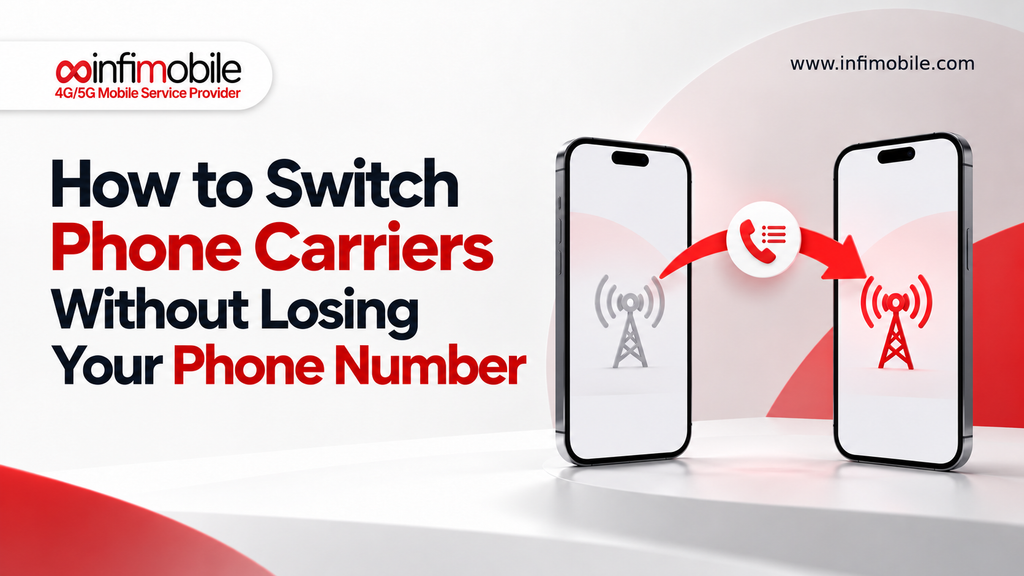
Number porting (also called number portability or a phone number transfer) is the process of moving your existing phone number from one wireless carrier to another. Your number stays the same. What changes is the network and plan behind it.
The easiest way to think about it: your phone number is like a mailing address that belongs to you, not to your carrier. When you port, your new carrier sends a request to your old carrier saying, “This customer wants to take their number with them.” Once the old carrier confirms the details, the number is released and starts working on the new service. Behind the scenes, you simply start receiving calls and texts on the new carrier.
Porting is used constantly. People port when they want a lower bill, better coverage at home, a different plan structure, or a prepaid option with no contract. It works whether you’re leaving a major postpaid carrier or another prepaid provider.
Common Worries About Switching (and the Reality)
“I’ll be without service for days.” In most cases, a standard wireless-to-wireless port completes quickly. Infimobile’s own switching guides describe the transfer as typically wrapping up within about a day, often without the number ever showing as unreachable. A delay can happen, and we cover how to handle it below.
“I’ll lose my contacts and texts.” Your number moves, but your contacts live on your phone or cloud account, so they stay put as long as you keep your device. If you’re also changing phones, back up first.
“I have to cancel my old plan first.” This is the single most common mistake, and it’s the opposite of what you should do. Don’t cancel first. More on that in a moment.
“I’ll be locked into a new contract.” Not with prepaid. Infimobile plans are prepaid with no long-term contract and no credit check, so there’s no multi-year commitment tied to your number.
Before You Switch: Your Pre-Port Checklist
A little preparation turns a stressful switch into a ten-minute task. Run through this list first.
1. Check that your phone is unlocked. A device that’s locked to your current carrier won’t activate on a different network. If you paid off your phone, ask your carrier to unlock it. If you’re still making payments, you may need to finish paying it off first.
2. Confirm your phone is compatible. Most modern smartphones work with Infimobile’s T-Mobile and Verizon network options. A quick way to test is to see whether your phone accepts a SIM card from another carrier. If your phone supports eSIM, you can also activate digitally without waiting for a card in the mail.
3. Check coverage at your address. Since Infimobile runs on the T-Mobile and Verizon networks and you choose one, check both coverage maps for your home, workplace, and places you travel regularly. Pick the network that performs better where you actually live.
4. Keep your current service active and your bill paid. The number generally has to be active to be transferred. Don’t cancel, suspend, or let the account lapse until the port is finished.
5. Back up your phone. If you’re changing devices and carriers, save your photos, contacts, and app data before you start.
6. Gather your account details. You’ll need a few specific pieces of information from your current carrier (covered next).
What Information You Need From Your Current Carrier
To port your number, your new carrier needs to prove to your old carrier that the request is legitimate. The details must match your old carrier’s records exactly, because even a small mismatch is the most common reason a port stalls. Have these ready:
- The phone number you’re bringing over
- Your current carrier account number
- Your number transfer PIN (also called a port-out PIN), which is different from your regular account PIN or passcode
- The billing ZIP code and name on the account, exactly as they appear on your bill
The transfer PIN is a security feature. It protects you from someone fraudulently moving your number, and it’s typically temporary, so it’s smart to generate it right before you start the port rather than days ahead.
How to Port Your Number to Infimobile, Step by Step
Infimobile is built to make this simple, with a porting option right in the activation flow. Here’s how it works.
Step 1: Choose your plan and network. Pick the plan that fits your data needs, and choose either T-Mobile or Verizon based on which performs better at your address.
Step 2: Get your SIM or eSIM. Order a physical SIM card, or if your phone supports it, activate with an eSIM for faster digital setup.
Step 3: Generate your transfer PIN. Right before you start, get your account number and transfer PIN from your current carrier using the methods above.
Step 4: Go to the Activate SIM page. On Infimobile’s site or app, start the activation process for your SIM or eSIM.
Step 5: Select the Port-In option. When prompted, choose to bring your existing number instead of picking a new one.
Step 6: Enter your details. Fill in the phone number, your old carrier’s account number, your transfer PIN, and your billing ZIP code and name exactly as they appear on your old account.
Step 7: Submit and wait for confirmation. Infimobile handles the communication with your previous carrier for you. Keep your old service active during this time. When Infimobile confirms the transfer is complete, restart your phone so it picks up the new service.
One important note: once an Infimobile number is activated, it can’t be changed. If you’re choosing a new number instead of porting, take a moment to select the one you want from the options offered during activation.
Test Before You Commit: Infimobile’s Trial Port-In
If you love your number but aren’t 100% sure how a new carrier will perform in your neighborhood, Infimobile offers a smart safety net: the Trial Port-In.
With a trial, you activate Infimobile on a temporary number, while your real number stays active with your current carrier, untouched. That lets you test call quality, data speeds, and coverage at home, at work, and on your commute before making a final decision. If you’re happy with the performance, you then complete a full port-in using your old carrier’s account number, transfer PIN, and billing ZIP code, and your real number moves over for good.
This approach is especially useful for:
- People in rural areas or hilly terrain where coverage varies block by block
- Anyone switching from a carrier they’ve used for many years.
- Families who want to confirm everything works before moving every line
A full port-in permanently transfers your number and typically closes your old line automatically, which is why testing first can be so reassuring.
Physical SIM vs. eSIM: Which Should You Choose?
Physical SIM: A small card is mailed to you. You insert it into your phone and activate it through Infimobile’s site or app. This works with virtually any unlocked phone and is a good choice if you’re unsure about eSIM support.
eSIM: A digital SIM you activate without waiting for anything to arrive. It’s the faster option and a great fit if your phone supports it, since you can often be set up the same day. If you ever move to a new phone, it’s recommended to deactivate the eSIM profile on the old device before transferring it to the new one.
Either way, the porting process works the same way: you provide your old carrier’s details during activation, and the transfer happens in the background.
How Long Does Porting Take?
For a standard wireless-to-wireless transfer, the switch is often completed within a day, and sometimes much faster. Most delays come from small data mismatches or an inactive account rather than anything about the carriers themselves. As a rule of thumb, if your port hasn’t completed after a couple of business days, double-check your information and contact Infimobile support, especially if the delay stretches beyond 48 hours.
Here’s what to expect on the day of the switch:
- You’ll see your old service go inactive and the new one come alive, usually within the same window.
- Calls and texts will route to your new Infimobile service.
- If you don’t see service right away, restart your phone and confirm your SIM or eSIM is activated.
Why a Port Gets Delayed (and How to Fix It)
If your number transfer is taking longer than expected, one of these is usually the culprit:
- A mismatch in account details. The account number, name, or billing ZIP must match your old carrier’s records exactly. Re-check your latest bill or online account.
- An expired or incorrect transfer PIN. Transfer PINs are temporary. If yours expired, simply generate a fresh one and resubmit.
- Number lock or port-out protection is on. Some carriers have a security feature that blocks transfers until you turn it off in your account settings.
- The old line was canceled or went inactive. A number that isn’t active generally can’t be ported. If you’ve already canceled, contact support quickly, because the number may still be recoverable for a short window.
- An unpaid balance or account issue. Make sure your old account is in good standing.
- The phone is still locked to the old carrier. This won’t stop the number port itself, but it can stop your phone from working on the new network.
When in doubt, keep your old line active and reach out to Infimobile support. They can help you troubleshoot without risking your number.
Mistakes to Avoid When Switching
- Canceling your old service before the port completes. This is the number one way people lose their number. Let the port close your old account for you.
- Entering details that don’t match exactly. Copy the account number and ZIP code directly from your bill or online account.
- Waiting too long after generating your PIN. Use it promptly before it expires.
- Forgetting to check phone compatibility and unlock status. Confirm your device is ready before ordering.
- Switching without checking coverage. Use T-Mobile’s and Verizon’s maps for your addresses, or try the Trial Port-In.
- Don’t restart your phone after the transfer is confirmed. A quick reboot helps your device register on the new network.
Why Switch to Infimobile?
Once your number is safe, the decision to switch comes down to value. Infimobile is a prepaid carrier that runs on the T-Mobile and Verizon networks, so you’re using the same major infrastructure as full-price customers, just at a far lower cost. Here’s what you get:
- Your choice of two major networks: pick the one that works best where you live
- No contract and no credit check: nothing tying you down
- Annual plans that lower your monthly cost: prepay for a year and lock in your price
- eSIM and physical SIM options: activate in minutes
- Number porting built into activation: keep the number you already have
- Wi-Fi calling and nationwide access included across plans
| Plan | Data | Term | Price |
| 5GB Plan | 5GB high-speed data, 2500 mins talk & text | 12 months | $75/year |
| 10GB Plan | 10GB high-speed data, unlimited talk & text | 12 months | $75/year |
| 15GB Plan | 15GB high-speed data, unlimited talk & text | 12 months | $108/year |
| 20GB Plan | 20GB high-speed data, unlimited talk & text | 12 months | $120/year |
| Freedom Unlimited Plan | 40GB high-speed data, unlimited talk & text, free hotspot Upto 10GB | 12months | $150/year |
FAQs
Yes. During activation, choose the Port-In option and enter your current carrier’s account number, transfer PIN, and billing ZIP code. Infimobile then requests the transfer from your old carrier, and your existing number starts working on your new plan.
No. Keep your old line active and paid until Infimobile confirms the transfer is complete. A number that has already been canceled usually can’t be ported, and the completed port closes your old account automatically.
Most standard wireless-to-wireless transfers finish within about a day, though timing can vary. If your port hasn’t completed after a couple of business days, verify that your account number, PIN, and billing details match your old carrier’s records exactly, and contact Infimobile support if it goes beyond 48 hours.
A transfer PIN (or port-out PIN) is a temporary security code from your current carrier that authorizes moving your number. You can usually get it by dialing a short code from your phone, such as *PORT for AT&T or #PORT for Verizon, or through your carrier’s app or website. Because it expires after a few days, generate it right before you start.
Yes. The Trial Port-In lets you activate on a temporary number to test coverage, speeds, and call quality while your real number stays with your current carrier. When you’re satisfied, you complete a full port-in to move your number permanently.
Final Thoughts
Switching carriers shouldn’t mean starting over with a new number. With a little preparation (an unlocked phone, a fresh transfer PIN, exact account details, and a promise to yourself not to cancel early), porting your number is a straightforward process that’s usually done within a day. And if you want extra peace of mind, Infimobile’s Trial Port-In lets you test the network on a temporary number first, so you only move your real number when you’re confident.
If you’re ready to cut your phone bill and keep the number everyone already knows, Infimobile makes the switch simple.