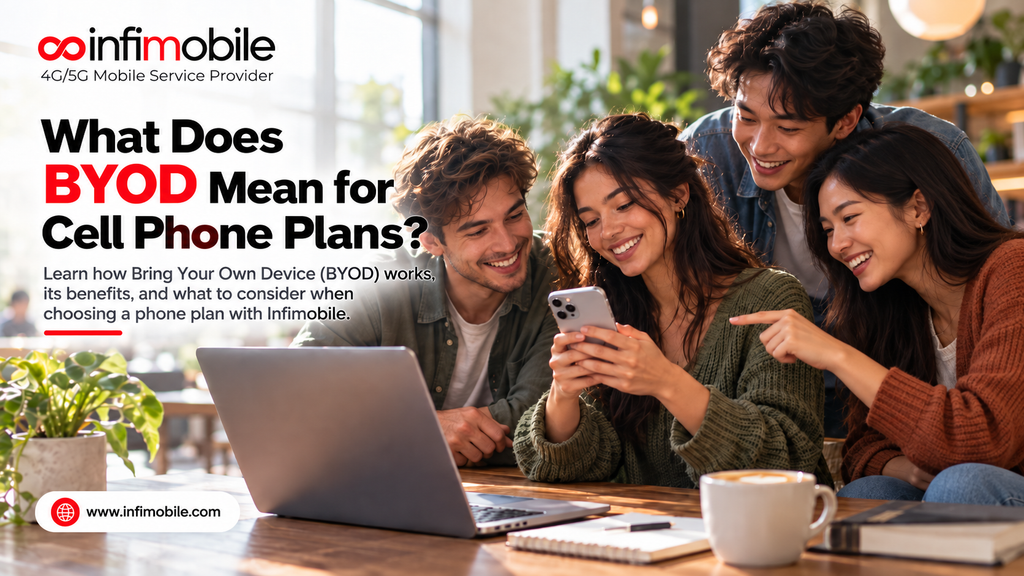
BYOD stands for “bring your own device.” On a cell phone plan, it means you keep the phone you already own and simply connect it to a new carrier with a SIM card or eSIM, instead of buying a new phone from that carrier. You pay only for the service: talk, text, and data. If you are wondering what BYOD means for cell phone plans, it comes down to one idea. Your phone and your plan become two separate decisions, and that is where most of the savings come from.
In this guide, we explain how BYOD works, what it means for your monthly bill, what your phone needs before you switch, and how to move your number over step by step. We also show how you can bring your own device to Infimobile and which Infimobile plan fits most people.
What Does BYOD Mean for Cell Phone Plans?
A BYOD cell phone plan is a service-only plan. The carrier gives you a connection to its network, and you supply the handset. There is no phone financing, no device installment, and no trade-in paperwork tied to your account.
Traditional carrier deals often bundle the two. You get a new phone with a monthly payment spread over 24 or 36 months, and the plan price is built around that arrangement. BYOD removes the bundle. You buy a phone whenever and wherever you like, or keep the one in your pocket, and you choose a plan on its own merits.
Here is how the two approaches compare:
| Feature | BYOD plan | Plan with a carrier phone |
| Phone purchase | You already own it | Bought or financed through the carrier |
| Monthly bill | Service only | Service plus device installment |
| Contract length | Often none | Often tied to the financing term |
| Phone choice | Any compatible phone | Carrier’s lineup |
| Switching carriers | Simple, if the phone is unlocked | Can require paying off the phone first |
BYOD is most common with prepaid carriers and MVNOs. An MVNO, or mobile virtual network operator, is a company that provides wireless service over a larger carrier’s network. You get the same kind of nationwide coverage, but with simpler plans and lower overhead.
Why BYOD Is Popular With U.S. Phone Users
People choose BYOD for a few practical reasons:
- Lower monthly costs. With no device installment on the bill, the price you see is the price you pay for service.
- Freedom to keep your phone. Many people keep a phone for three or four years. BYOD lets you keep using it without paying extra for a device you don’t need.
- No lock-in. Without a financed phone attached, leaving a carrier is easier.
- Flexibility on when you upgrade. You can buy a new phone during a sale, from a retailer, or second-hand, on your own schedule.
- Simpler billing. One line item for service is easier to track than a plan, a device payment, and add-on fees.
For families, students, and anyone who prefers predictable bills, these points add up quickly.
What Your Phone Needs to Work on a BYOD Plan
Not every phone works on every carrier. Before you switch, check these four things.
1. The phone must be unlocked
A locked phone only works with the carrier that sold it. An unlocked phone accepts a SIM or eSIM from any compatible carrier. If you bought your phone through a carrier installment plan, you usually need to finish paying it off and ask the carrier to unlock it before you leave.
2. The phone must support the right network bands
Phones connect to towers using specific radio frequencies called bands. Most phones sold in the U.S. in recent years support the common 4G LTE and 5G bands used by the major networks. Older phones, imported phones, or phones from certain regions may miss a few bands, which can mean weaker coverage or no service in some areas.
3. The phone should support eSIM or accept a physical SIM
An eSIM is a digital SIM built into your phone. Instead of inserting a plastic card, you install your plan by scanning a QR code or following an activation link. Many newer phones support eSIM, and some support both a physical SIM and an eSIM at the same time. Older phones use a physical SIM card only.
4. The phone should get current software updates
Keeping your phone updated helps with security and network compatibility. If your phone no longer receives updates, it can still work, but you may miss improvements that affect calling features like Wi-Fi calling.
A simple way to check a phone’s status is to look in your settings for carrier lock information, then use the carrier’s own compatibility checker before you pay for anything.
Pros and Cons of Bringing Your Own Device
BYOD works well for many people, but it is fair to look at both sides.
Advantages
- You avoid paying for a phone you already own.
- You can shop for the best plan without worrying about a device balance.
- You can keep your existing apps, data, and settings.
- You can move between carriers more easily.
Limitations
- Your phone must be compatible. A locked or incompatible phone will not work until the issue is fixed.
- You handle the setup yourself. Activation is usually quick, but you are the one installing the SIM or eSIM and moving your number.
- No carrier phone deals. You will not get a discounted handset as part of a plan offer.
- Support is often digital. Many prepaid carriers offer support online or by chat rather than in a store.
If you are comfortable doing a short setup on your own, these limits are usually small compared with the savings.
BYOD vs. Buying a Phone From Your Carrier
Buying a phone through a carrier can make sense if you want the newest flagship right away and prefer to spread the cost out. The trade-off is that the monthly payment often ties you to that carrier for the length of the financing term, and leaving early can mean paying the remaining balance.
BYOD makes more sense if you already have a phone you like, if you want to buy a phone outright, or if you want to keep your plan cost low and flexible. A common approach is to buy or keep a phone separately, then pair it with a prepaid plan that fits your data use. This keeps phone spending and service spending from getting mixed together, which makes it easier to see where your money goes.
How to Switch to a BYOD Plan: Step by Step
The process is similar across most carriers. Here is a simple order to follow.
- Confirm your phone is unlocked. Check your settings or ask your current carrier. If you still owe money on the phone, find out what is needed to unlock it.
- Check compatibility. Enter your phone’s details into the new carrier’s compatibility tool. Have your IMEI number ready. You can find it by dialing *#06# on most phones.
- Pick your plan. Choose the amount of data and the plan length that match how you actually use your phone.
- Back up your phone. Save your photos, contacts, and app data before making changes, just in case.
- Get your SIM or eSIM. Order a SIM card or choose eSIM, depending on your phone.
- Transfer your number if you want to keep it. You will need your current account number and transfer PIN from your old carrier. Do not cancel the old service before the transfer is complete, because canceling first can cause you to lose the number.
- Activate and test. Install the SIM or eSIM, restart your phone, and then test calls, texts, and mobile data.
- Set up extras. Turn on Wi-Fi calling if your phone supports it, and check your APN settings if data does not work right away.
Most people finish activation in a short time, and you can usually keep using your old service until the new one is confirmed working.
Can You Bring Your Own Device to Infimobile?
Yes. Infimobile is built around BYOD. You can bring your own unlocked, compatible phone and use Infimobile’s services without buying a device from Infimobile. There are no contracts, so you are not locked into a device payment or a long-term agreement.
Here is what that looks like in practice:
- Bring the phone you have. Use your current iPhone or Android phone, as long as it is unlocked and compatible.
- Choose eSIM or a physical SIM. Infimobile supports eSIM for phones that have it, and it offers a SIM card kit for phones that use a physical SIM.
- No contracts. You choose a plan length and pay for service, without a device installment attached.
- 4G LTE and 5G service. Infimobile service runs on major U.S. carrier networks, and you choose your network at signup.
- Wi-Fi calling and texting. Available on supported phones, which helps in places where cell signal is weak.
- Keep your number. You can request a number transfer from your previous carrier during activation.
Before you buy, run your phone through the compatibility check on Infimobile’s website. It is the quickest way to confirm that your exact model will work, and it avoids surprises later.
Which Infimobile Plan Is Best for a BYOD User?
For most people bringing their own phone, we suggest the 10GB Unlimited Plan. It includes 10GB of data each month along with unlimited nationwide talk and text, which covers everyday use like maps, email, messaging, social media, and regular video browsing. If you use Wi-Fi at home or work, 10GB goes a long way.
Here are the options to compare, so you can choose the right fit:
| Plan | Data | Talk and text | 12-month price |
| Deal Buster | 500MB | 100 mins / 100 SMS | $30 |
| Pro Plus | 5GB | 2,500 mins / 2,500 SMS | $75 |
| Unlimited | 10GB | Unlimited nationwide talk and text | $75 |
| Promotional | 15GB | Unlimited talk and text | $150 |
| Premium | 20GB | Unlimited talk and text | $120 |
| Freedom Unlimited | Unlimited | Unlimited talk and text | $175 |
Infimobile also offers shorter and longer plan lengths on its plans page, including 3-, 6-, 24-, and 36-month options on most plans. The Family Plan is the only plan where the per-line price drops as you add more lines, starting at $4.1 per line per month.
Notice that the 10GB Unlimited Plan costs the same as the 5GB Pro Plus for 12 months, but it gives you double the data and unlimited talk and text. That makes it a strong value for a phone you already own.
Who should choose each plan?
- Deal Buster (500MB): A backup line, or a phone used mostly on Wi-Fi with light calling.
- Pro Plus (5GB): Light data users who still want plenty of calling and texting.
- Unlimited (10GB): Most everyday users, and our pick for BYOD.
- Premium (20GB): Heavy streamers, commuters, and people who use a lot of mobile data.
- Freedom Unlimited: Those who want no data cap to think about.
- Family Plan: Households that want several lines with a lower per-line cost.
Prices and promotions can change, and Infimobile sometimes runs time-limited offers, so confirm the latest details on the plans page before you check out.
Common BYOD Mistakes to Avoid
A few simple errors cause most BYOD problems. Avoid these, and your switch should go smoothly.
- Canceling your old plan too early. Wait until your number has transferred and your new service works.
- Skipping the compatibility check. An unlocked phone can still miss key bands, so always confirm your exact model.
- Forgetting about a phone balance. If you still owe money on your phone, your old carrier may not unlock it.
- Choosing too little data. Look at your real monthly use in your phone settings before picking a plan.
- Not using Wi-Fi calling. Turning it on can help with calls at home or in buildings with weak signal.
- Losing your eSIM QR code. Keep the activation details handy until setup is complete.
Frequently Asked Questions
In most cases, yes. A BYOD plan has no device installment, so your bill covers service only. The total you save depends on the phone you would have bought and how long you keep your current one.
Yes, as long as the iPhone is unlocked and compatible with the carrier’s network. Many recent iPhones support eSIM, which lets you activate service without a physical card.
No, you can request a number transfer during activation. Keep your old service active until the transfer finishes, and have your account number and transfer PIN ready.
You will need to ask the carrier that sold it to unlock it first. Carriers may require the phone to be paid off before they unlock it, so check the terms of your current agreement.
Yes. Infimobile offers a SIM card kit for phones that use a physical SIM, and eSIM for phones that support it. Check your phone’s compatibility on the Infimobile website before you order.
Final Thoughts
BYOD means you keep your phone and pay only for the service you use. For cell phone plans, that separates your device costs from your monthly bill, gives you more freedom to switch, and often lowers what you spend each year. The main requirements are an unlocked, compatible phone and a few minutes for setup.
If you already have a phone you like, Infimobile makes it easy to bring your own device and start using its services with no contract. For most people, the 10GB Unlimited Plan offers the best balance of data, unlimited talk and text, and price. Check your phone’s compatibility, compare the plan options, and explore Infimobile’s plans to get started.