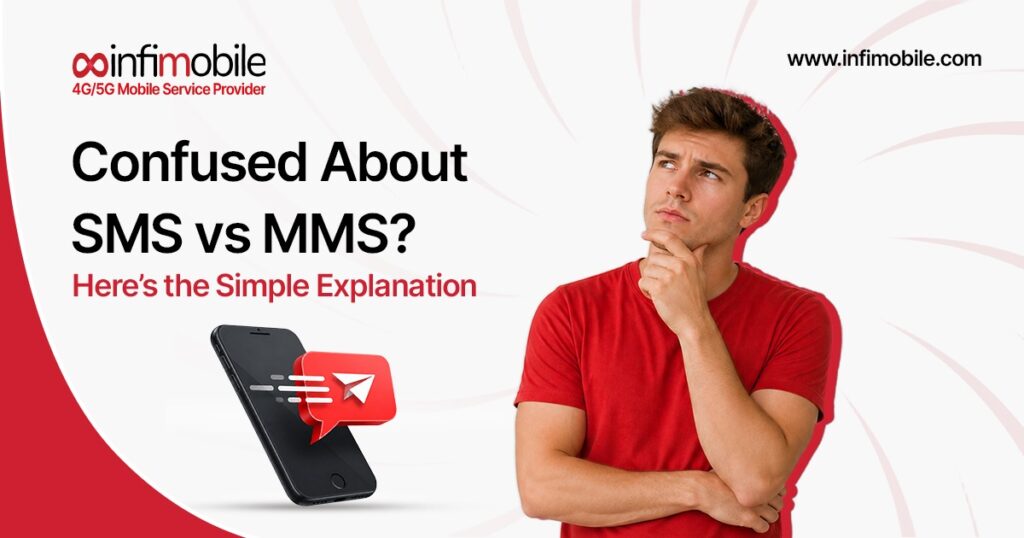
You text every day without thinking. But attach a photo, join a group chat, or see a failed message, and suddenly the difference between SMS and MMS matters.
Most people have seen both abbreviations on their phone without ever stopping to ask what they mean. SMS and MMS are two distinct messaging technologies designed for different messaging needs and support different types of content.
Understanding the difference between SMS and MMS doesn’t require a technical background. It just requires a few minutes and a clear explanation, which is exactly what this guide provides. Finally, you’ll know what each one is, how each one works, when to use which, what they cost, and how the choice between them affects your everyday messaging.
Table of Contents
- What Is SMS? The Simple Definition
- What Is MMS? The Simple Definition
- SMS vs MMS: The Core Differences
- How SMS Works
- How MMS Works
- SMS vs MMS Features Compared
- MMS vs SMS Cost: What You’re Actually Paying
- When to Use SMS vs MMS
- SMS vs MMS for Business Messaging
- Group Messaging: SMS vs MMS Explained
- MMS vs SMS Pros and Cons
- Frequently Asked Questions
What Is SMS? The Simple Definition
SMS stands for Short Message Service. It’s the original text messaging standard, the technology behind the basic text messages that phones have been sending since the early 1990s. When you send a plain text to someone, and it shows up as a simple message with no images or attachments, that’s SMS.
The defining characteristic of SMS is its simplicity. An SMS message carries only text and is limited to 160 characters. If your message exceeds 160 characters, your phone automatically splits it into multiple segments and sends them sequentially. They typically reassemble into a single message on the recipient’s screen, but technically, they’re multiple SMS messages delivered one after another.
SMS works through your carrier’s cellular network using a dedicated signaling channel; the same infrastructure that tells your phone there’s an incoming call. It doesn’t require a data connection, so you can send and receive text messages even in areas with no mobile data coverage, as long as there’s a basic cellular signal. That reliability is one of the reasons SMS has remained a global standard for over 30 years.
SMS meaning, stripped to its essentials: a simple, text-only message sent over a cellular network, limited to 160 characters, that works virtually everywhere a cell signal exists.
Actionable tip: Next time you’re in a low-signal area and your data apps aren’t loading, try sending a plain text message. SMS often gets through conditions where data-dependent messaging apps fail completely.
What Is MMS? The Simple Definition
MMS stands for Multimedia Messaging Service. It’s the evolution of SMS, introduced to solve the one limitation SMS couldn’t get around: it can only carry text. MMS was designed to carry everything else: photos, videos, audio files, GIFs, and longer text content that exceeds the SMS character ceiling.
When you send a photo to a friend from your default messages app, you’re sending an MMS. When you receive a voice memo, a short video clip, or a message from a group chat with multiple recipients, those are all MMS messages. When a company sends you a promotional image or a visual coupon, that’s MMS too.
MMS routes through your carrier’s mobile data network rather than the dedicated signaling channel used by SMS. This means MMS requires an active data connection, either mobile data or Wi-Fi calling enabled, to send and receive. It also means that MMS messages are slightly more resource-intensive than SMS, which has implications for cost, delivery speed, and behavior in low-connectivity situations.
MMS meaning in plain terms: a multimedia-capable message that travels over mobile data and can carry images, video, audio, GIFs, and longer text; everything a standard SMS cannot.
Actionable tip: If a photo or video message fails to send, check whether your mobile data connection is active. Unlike SMS, MMS won’t go through a cellular signal alone; it specifically needs data to be on.
SMS vs MMS: The Core Differences
Before going deeper into how each technology works and when to use each one, it helps to see the fundamental differences laid out clearly. The distinction between SMS and MMS messaging comes down to five core factors: content type, character limits, data requirements, file size, and delivery behavior.
SMS is text-only, limited to 160 characters per segment, requires no data connection, carries no attachments, and delivers almost instantly, even on a minimal cellular signal. MMS can carry images, video, audio, GIFs, and long-form text. It supports messages up to around 1,600 characters, requires an active data connection, supports file attachments up to roughly 300KB to 1MB, depending on the carrier, and delivery speed varies based on connection quality and file size.
The practical implication is that SMS and MMS aren’t competing for technologies; they’re complementary ones. SMS is the right tool for quick, reliable, text-based communication. MMS is the right tool when the message genuinely requires a visual or audio element to be useful or complete.
Actionable tip: Think of SMS as a postcard and MMS as a small package. Both get delivered through the postal system, but one is built for quick notes, and the other is built for when you need to include something physical. Choosing the right format makes the delivery more reliable and often more cost-effective.
How SMS Works
Understanding how SMS works helps explain why it’s so reliable and why it’s lasted as long as it has in a world that’s moved dramatically toward internet-based communication.
When you send an SMS, your phone converts your text into a small data packet and transmits it to the nearest cell tower over a dedicated control channel, the same channel that handles call setup and network signaling. That packet travels from the tower to your carrier’s SMS center, known as an SMSC, which acts as a routing hub. The SMSC identifies the recipient’s carrier and forwards the message to their network. The recipient carrier holds the message in a queue and delivers it to the recipient’s phone the moment their device connects to the network.
This architecture is what makes SMS so resilient. The message doesn’t disappear if the recipient’s phone is off or out of coverage; it waits in the SMSC queue, typically 24 to 72 hours, and delivers automatically when the phone becomes reachable again.
The 160-character limit isn’t arbitrary. It was calculated by the researchers who designed SMS in the 1980s based on the capacity of the signaling channel and the analysis of typical postcard and telegram message lengths. Modern phones handle longer messages by splitting them into 153-character segments, reserving 7 characters per segment for reassembly headers, and sending them sequentially.
SMS limitations worth knowing: it carries text only, has no native support for reading receipts in the traditional sense, and offers no built-in end-to-end encryption at the protocol level.
How MMS Works
MMS messaging works on a fundamentally different architecture from SMS, which explains both its capabilities and its occasional inconsistencies.
When you send an MMS, your phone doesn’t transmit the content directly to the recipient the way SMS does. Instead, it uploads the message content, the image, video, or audio file to a dedicated MMS server operated by your carrier. Your carrier then sends the recipient a notification, delivered via SMS, that an MMS message is waiting for them and provides a URL or reference code to retrieve it. The recipient’s phone automatically fetches the content from the server, making the process look seamless from both ends.
This retrieve-from-server model is why MMS requires a data connection. The actual content lives on a server, and your phone needs data to download it. It’s also why MMS can theoretically fail in more ways than SMS; if the server is congested, if the recipient’s data connection is weak, or if there are compatibility issues between carriers, the message may take longer or require a manual retry.
How MMS works also explains the file size limitations. Most carriers cap MMS attachments at between 300KB and 1MB. A modern smartphone photo might be 3MB to 8MB in its original format, so your phone automatically compresses the image before sending it as an MMS, which is why photos sent via text sometimes look lower quality than the originals.
Actionable tip: If you need to send a high-resolution photo without quality loss, use a cloud-based sharing method: Airdrop, Google Photos, or a messaging app like WhatsApp; rather than MMS. MMS is convenient, but compression is unavoidable on most carrier networks.
SMS vs MMS Features Compared
Breaking down the specific feature differences between SMS and MMS messaging gives a clear picture of what each technology is actually capable of.
Content support: SMS handles plain text only. MMS handles images (JPEG, PNG, GIF), video clips (MP4, 3GP), audio files (MP3, AAC), animated GIFs, contact cards (vCard), and extended text beyond the SMS character limit.
Character limit: SMS supports 160 characters per segment, with longer messages split into multiple segments. MMS supports up to approximately 1,600 characters of text in a single message without splitting.
Group messaging: SMS group messaging is technically a series of individual messages sent to each recipient; replies go only to the sender, not the group. MMS enables true group messaging where all participants can see and reply to a shared conversation thread.
Read receipts: Neither SMS nor MMS supports universal read receipts at the protocol level. Read receipts you see in messaging apps are typically a feature of the app itself, not the underlying SMS or MMS standard.
Delivery confirmation: SMS often provides delivery reports through carrier infrastructure. MMS delivery confirmation varies by carrier and device.
Connection required: SMS works on a cellular signal alone with no data required. MMS requires an active mobile data connection or Wi-Fi calling to be enabled.
Actionable tip: If you’re sending a message to a large group and want everyone to see each other’s replies, send it as an MMS or use a messaging app. An SMS group send means every reply comes only to you; the other recipients never see responses from the group.
MMS vs SMS Cost: What You’re Actually Paying
The cost difference between SMS and MMS is one of the most practically important aspects of understanding these two technologies, especially for anyone managing a business messaging budget or watching data usage closely.
On most modern US consumer plans, both SMS and MMS are bundled into unlimited messaging. You send and receive as many texts and picture messages as you want, and it doesn’t appear as a separate charge on your bill. For most personal users in 2025, the direct cost difference between sending an SMS and an MMS is functionally zero. t
However, there are nuances worth understanding. MMS uses mobile data to send and receive content. If you’re on a plan with a data cap, like Infimobile’s 5GB or 15GB annual plans, every MMS you send or receive consumes a small amount of your monthly data allowance. A typical MMS with a single compressed photo uses roughly 100KB to 500KB of data. This is a minor impact for casual use, but it can add up if you send dozens of photo messages daily, and you’re on the lower-end 5GB plan.
For business messaging, the MMS vs SMS cost difference is significant. Business SMS and MMS are typically priced per message segment through messaging platforms, with MMS costing roughly two to three times more per send than SMS. For campaigns sending hundreds of thousands of messages, that difference compounds quickly.
Actionable tip: For personal use on a data-capped plan, reserve MMS for messages where the visual genuinely adds value. Sending casual text updates as SMS rather than MMS keeps more of your monthly data allowance available for browsing, streaming, and navigation.
When to Use SMS vs MMS
Knowing when to use SMS vs MMS is ultimately about matching the message format to the message content. There’s no universal right answer; it depends on what you’re communicating, who you’re communicating with, and what reliability matters most for that specific message.
Use SMS when the message is text-based and doesn’t require any visual support. Appointment reminders, quick check-ins, confirmations, directions given as an address, short updates, and any message where a sentence or two says everything you need; all of these are natural fits for SMS. SMS is also the better choice when reliability is paramount. Sending a time-sensitive message to someone who might be in a low-coverage area? SMS has a far higher likelihood of getting through quickly than MMS.
Use MMS when the message content is inherently visual or audio-based and loses meaning without it. Sending a photo of a product you want feedback on, sharing a video clip from an event, sending a GIF reaction, delivering a voice memo, or sending a document as an image, these are cases where MMS isn’t just convenient; it’s necessary. MMS is also the right choice when you’re sending a true group conversation where everyone needs to see replies in a shared thread.
The practical middle ground: For messages that are mostly text but slightly over 160 characters, like a detailed address with instructions or a multi-part update; many phones will automatically send them as MMS to avoid splitting across multiple SMS segments. This is a reasonable default that your phone handles without you needing to think about it.
SMS vs MMS for Business Messaging
For businesses using text messaging as a communication or marketing channel, the SMS vs MMS for business messaging decision carries real strategic weight.
SMS for business is the workhorse of mobile messaging. It delivers reliably across all phones and all carriers, requires no data connection on the recipient’s side, has near-universal compatibility, and achieves open rates consistently reported above 90%. Transactional messages, order confirmations, appointment reminders, shipping updates, two-factor authentication codes, and customer service follow-ups are almost always sent as SMS. The simplicity is the point: the message gets there, gets read, and gets acted on.
MMS for business is the choice when visual impact drives the campaign goal. Retail promotions with product images, event invitations with branded graphics, visual coupons, and multimedia announcements all benefit from the ability to show rather than just tell. Studies consistently show that MMS campaigns deliver higher engagement rates than SMS-only campaigns for visual-first content; the trade-off is higher per-message cost and slightly more variability in delivery behavior across different carrier networks.
The practical business decision framework is straightforward: use SMS for information delivery where text conveys the full message, and use MMS when a visual element meaningfully improves the effectiveness of the communication. Sending a plain text message about a sale is an SMS. Sending an image of the sale item with a discount code overlaid is MMS. Both have legitimate uses; the content type should determine the format.
Actionable tip: For any business text messaging campaign, test both SMS and MMS versions with a small audience segment before scaling. Measure click-through rates and conversions for each. The winning format for your specific audience and message type is more valuable for data than any general industry benchmark.
Group Messaging: SMS vs MMS Explained
Group messaging is one of the most misunderstood areas of SMS vs MMS messaging, and it’s where a lot of everyday confusion originates.
When you add multiple recipients to a message and send it as an SMS, you’re not creating a group conversation. You’re sending individual copies of the same SMS to each person on the list. If anyone replies, their reply comes only to you; the other recipients don’t see it. From the sender’s perspective, it looks like a group of texts. From the recipients’ perspective, it’s a private one-to-one conversation with the sender. Replies don’t reach the group.
When the same message is sent as an MMS, the behavior changes. MMS supports true group threading, where all participants are part of a shared conversation and can see each other’s replies. This is how a group chat on a standard messaging app works: everyone in the thread sees every message from every participant. The ability to create a real group thread is an MMS feature, not an SMS feature.
This distinction matters in everyday life. If you’re coordinating plans with five people and want everyone to see each other’s responses and input, the message needs to go as MMS, or you need to use a messaging app. If you’re sending the same update to five people and don’t need them to see each other’s replies, SMS sends five clean individual messages efficiently.
Many messaging apps, including iMessage, WhatsApp, and Google Messages, have their own group of messaging architectures that operate independently of the underlying SMS or MMS standard. When these apps are used over data, they’re not sending SMS or MMS at all; they’re sending proprietary internet messages. The SMS and MMS distinction primarily applies to standard carrier-based texting.
MMS vs SMS Pros and Cons
SMS: Strengths: Works without a data connection, making it the most universally reliable mobile messaging format. Delivers almost instantly, even on weak cellular signals. Compatible with every mobile phone ever made, including basic feature phones. Lower cost per message for business sending. Simple and distraction-free for recipients.
SMS: Limitations: Text only, no images, video, audio, or file attachments. 160-character limit per segment, with longer messages split and sent sequentially. No native support for true group conversations where all participants can see replies. Compression and splitting can occasionally cause messages to arrive out of order on older networks.
MMS: Strengths: Supports images, video, audio, GIFs, and other multimedia content. Handles messages up to 1,600 characters in a single send without splitting. Enables true group messaging threads where all participants see each other’s replies. Higher engagement rates for visual content in business messaging contexts.
MMS: Limitations: Requires an active mobile data connection to send and receive. Slower delivery than SMS, particularly for larger files. Compresses images and video, reducing quality compared to original files. Higher cost per message for business senders. Delivery reliability varies more across carrier networks than SMS.
Frequently Asked Questions
SMS (Short Message Service) is a text-only messaging standard limited to 160 characters that works over a cellular signal without data. MMS (Multimedia Messaging Service) supports images, video, audio, GIFs, and longer text, but requires a mobile data connection. SMS is for pure text communication; MMS is for anything that needs a visual or audio element.
Neither is universally better. SMS is better for reliable text-based communication, especially where data connectivity is uncertain. MMS is better when the message requires a visual or multimedia element to be complete or effective. The right choice depends entirely on who you’re communicating with.
Yes. MMS uses your mobile data connection to upload and download message content. On a data-capped plan, each MMS consumes a small amount; typically 100KB to 500KB for a photo message, from your monthly data allowance.
arriers compress MMS attachments to fit within file size limits, typically 300KB to 1MB. A modern smartphone photo is often 3MB to 8MB before compression, meaning significant quality reduction is applied automatically before sending. For full-quality photo sharing, use Airdrop, Google Photos, or a cloud-based sharing method instead.
No. MMS requires an active data connection. If your mobile data is off and you’re not on Wi-Fi with Wi-Fi calling enabled, MMS messages will not send or be received until data is restored.