Leaving a major carrier can feel like a bigger project than it should be. There’s a phone you may still be paying off, a number you don’t want to lose, a PIN you’ve never heard of, and a worry that something will go wrong and leave you without service. Rules around phone unlocking have also changed recently, so it’s no surprise people put off the switch.
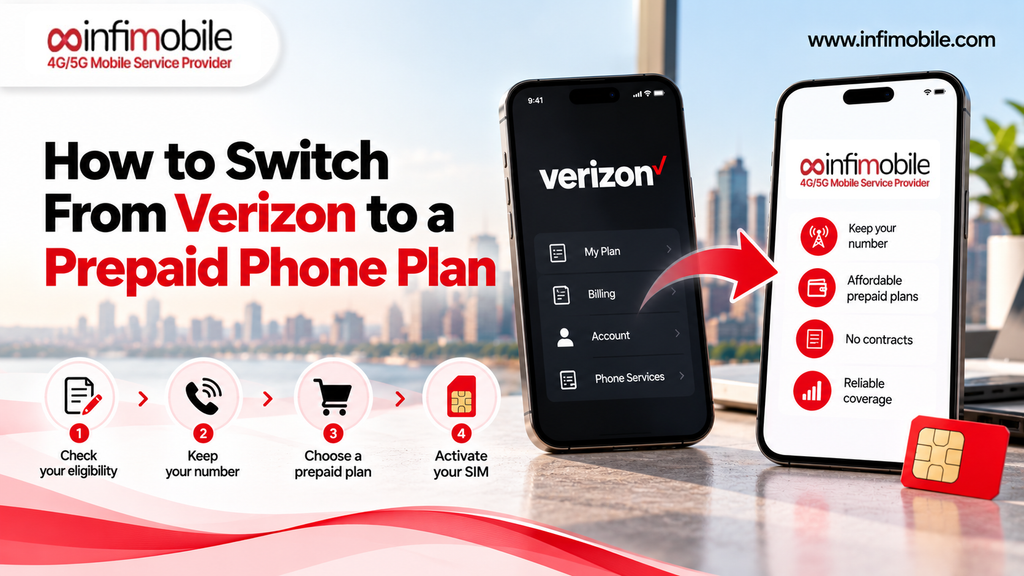
The good news is that moving from Verizon to a prepaid plan is very doable when you do things in the right order. This guide walks through each step: checking your balance, confirming your phone is unlocked, choosing a plan and network, getting your transfer PIN, porting your number, and handling your final Verizon bill.
Table of Contents
- Is Prepaid Right for You?
- Step-1-Check Your Verizon Balance and Promotions
- Step-2-Confirm Your Phone Is Unlocked
- Step-3-Choose Your Prepaid Plan and Network
- Step-4-Check Coverage and Compatibility
- Step-5-Get Your Verizon Account Number and Transfer PIN
- Step-6-Order Your SIM or eSIM and Start the Port
- Step-7-Activate, Test, and Close Out Verizon
- Common Problems and How to Fix Them
- Who Should Wait Before Switching
- FAQs
Is Prepaid Right for You?
Prepaid means you pay for service before you use it, rather than receiving a bill after the fact. Most prepaid plans, including Infimobile’s, don’t tie you to a traditional postpaid contract, and many let you pay once for a full year at a lower effective monthly rate.
Prepaid tends to work well if:
- You own your phone outright, or you’re close to paying it off.
- You want a predictable cost with no surprise fees on a monthly bill.
- Your data use is moderate, and you spend much of your day on Wi-Fi.
- You’d rather bring your own phone than finance a new one through your carrier.
It may be a poorer fit if you’re still making big monthly payments on a financed phone, or if you rely on promotional device credits that you’d lose by leaving. The next steps will help you work out which situation you’re in.
Step 1: Check Your Verizon Balance and Promotions
Before you do anything else, find out what leaving will cost. Verizon’s support pages are clear about what happens when a line is disconnected or moved to another carrier:
- Device payments. Any remaining balance on a device payment agreement is charged in full on your final bill. You can see what you owe by signing in to My Verizon and opening your Device Overview.
- Device promotions. If you have a device promotion, the monthly credits stop when you leave, and you’re charged the remaining balance on the phone.
- Promotional discounts with a minimum term. If you agreed to a promotional discount that requires staying for a set period, transferring your line before the term ends voids that agreement.
Verizon’s own guidance also notes that you should pay off outstanding device balances before disconnecting the associated lines. In practice, that means the real cost of leaving is usually the remaining phone balance and any lost credits, not the plan itself.
If the number surprises you, you have options: pay it off before you switch, keep the line until the phone is closer to paid off, or compare the total cost of switching against what you’d save over the next year.
Step 2: Confirm Your Phone Is Unlocked
Prepaid carriers that let you bring your own phone, like Infimobile, need that phone to be unlocked. A locked phone only works on its original carrier’s network. This is where recent rule changes matter.
According to Verizon’s device unlock policy, and as widely reported, phones purchased from Verizon on or after January 27, 2026 stay locked until the device is paid in full. Paying off a device balance online, in the My Verizon app, or by phone can delay the unlock by an additional 35 days, while paying in a Verizon store with a secure method is reported to avoid that delay. Devices purchased from Verizon before January 27, 2026 are locked for 60 days from the date of purchase and then unlock automatically, provided other conditions are met. If your phone came from one of Verizon’s prepaid brands, a different rule applies: those devices generally require 365 days of paid service.
Because these policies have changed recently and details can vary by purchase date and how you paid, check Verizon’s current policy and your device’s status before you commit to switching. If your phone is locked, your options are to wait until it unlocks, finish paying it off, or buy an unlocked phone.
You’ll also want to confirm basic compatibility. Infimobile asks that phones be unlocked and support 5G or 4G LTE and VoLTE. Dial *#06# to find your IMEI number, then check it with the compatibility checker at infimobile.com/compatible.
Step 3: Choose Your Prepaid Plan and Network
With your balance and phone status sorted, it’s time to pick a plan. A few questions narrow things down quickly:
- How much data do you actually use? Check the data usage screen on your phone or in your Verizon account for the last few months.
- Do you need hotspot? Some plans include it; others offer it as an add-on.
- Do you want to pay monthly or upfront? Annual plans usually cost less per month but require paying for the year at once.
- Which network works best where you live? This matters most of all.
Infimobile’s 12-month plans give you several options. As shown on its plans page, the 12GB plan is $90 for 12 months (about $7.50 a month), the 20GB Premium plan is $120 (about $10 a month), and Freedom Unlimited is $175 (about $14.58 a month) with unlimited data, speeds reduced after 40GB, and a free 12-month hotspot add-on of up to 10GB per month. Other tiers are listed on the plans page, and pricing can change with promotions, so confirm current details at infimobile.com/plans.
A note on network choice. Many people leaving Verizon are happy with Verizon’s coverage and want to keep it. Infimobile runs on both T-Mobile and Verizon, and customers choose their network at activation. That means you may be able to keep using the network you already trust while paying less. Network options can vary by plan and by device, since some phones support one network’s radio bands better than the other’s, so confirm which networks are available for your plan and phone at checkout.
Step 4: Check Coverage and Compatibility
Don’t assume that coverage on your old plan guarantees the same experience on a new one. Check your actual address.
- Use Infimobile’s coverage and compatibility checker at infimobile.com/compatible to see what to expect where you live and work.
- Cross-check the public coverage maps for Verizon and T-Mobile using your ZIP code, since your signal depends on the underlying network you choose.
- Think about where you spend your time. Home, work, your commute, and any second location all matter.
- Consider a trial first. Infimobile offers a trial port-in option in the account portal that lets you test service on a temporary number before moving your real one.
Step 5: Get Your Verizon Account Number and Transfer PIN
To move your number, your new carrier needs two things from Verizon: your account number and a Number Transfer PIN. Verizon explains that standard monthly accounts generate the PIN in My Verizon, and that you must sign in as the Account Owner or Account Manager. You can create it in three ways:
- Dial #PORT (#7678) from the Verizon phone you’re moving. Verizon sends a link to generate the PIN.
- Use the My Verizon app. Sign in and look for the Number Transfer PIN option.
- Use the My Verizon website. Sign in, go to your profile, and choose Number Transfer PIN, then Generate PIN.
Verizon displays the PIN along with your account number. The PIN is temporary and reported to be valid for about seven days, so generate it when you’re ready to place your order, not weeks ahead. You can generate a new one if it expires.
Turn off Number Lock first. Number Lock is a Verizon security feature that protects your number from unauthorized transfers. Verizon says it must be disabled before you move a number. You can turn it off by dialing *611 or through My Verizon in the Number Lock settings. If you see a notice about Number Lock in your account, handle it before you start.
Business accounts work differently. Verizon notes that business accounts don’t use a Number Transfer PIN in the same way, so check with Verizon or your account manager if your line is on a business account.
Step 6: Order Your SIM or eSIM and Start the Port
Now you’re ready to place your order. Here’s the process on Infimobile:
- Choose your plan and network on the plans page.
- Select SIM or eSIM. Infimobile offers a 3-in-1 physical SIM kit for most plans, and eSIM where your phone supports it. If you have a newer iPhone with no SIM tray, choose eSIM.
- Choose “Port In” instead of a new number.
- Enter your Verizon details: your phone number, your Verizon account number, the Number Transfer PIN, and your billing information. Make sure everything matches Verizon’s records exactly, since mismatches are the most common reason ports get delayed.
- Complete checkout. Infimobile then works with Verizon to move your number.
Step 7: Activate, Test, and Close Out Verizon
While the port is processing, keep these points in mind:
- Keep your Verizon service active until the port finishes. Don’t call Verizon to cancel first. Verizon’s own guidance says your account must stay open until the last line is moved and your final bill is issued, and that the line closes automatically after the new carrier connects the number. Canceling early can put your number at risk.
- Expect a short wait. Most ports finish within a few hours to about 24 hours, with 48 hours as a reasonable outside estimate.
- Activate and test. Once you’re notified that the port is complete, restart your phone, then make a test call, send a test text, and confirm mobile data works. If you’re using a physical SIM, Infimobile’s help center walks you through activating with the activation code and ICCID printed on the card.
- Watch your final Verizon bill. It will include any remaining device balance if it hasn’t already been paid, along with charges through the end of service. Review it carefully, and once your final bill is paid, check that AutoPay is turned off so you aren’t charged for an account you no longer use. Some former customers have reported ongoing charges after leaving, so it’s worth confirming.
Common Problems and How to Fix Them
The port is rejected for a wrong PIN or account number. Generate a new Number Transfer PIN, double-check your account number in My Verizon, and resubmit. The PIN is temporary, so an old one may have expired.
Number Lock is blocking the transfer. Turn it off by dialing *611 or in My Verizon, then try again.
Name, address, or ZIP mismatches. Your details need to match Verizon’s records exactly, including unit numbers. Update Verizon first if you’ve moved.
Your phone is locked. Check Verizon’s unlock status and policy. You may need to pay off the device or wait for the unlock to take effect. After your phone is unlocked, give it time to register before activating.
Service hasn’t switched yet. Port timing varies. Keep your Verizon line active, restart your phone, and wait up to 48 hours before contacting support.
Data isn’t working after the switch. Restart your phone, confirm mobile data is on, and check that the correct line is selected if you have more than one SIM profile. If it continues, contact Infimobile support at +1 (855) 484-1855 or +1 (678) 608-1414, or by email at support@infimobile.com.
Who Should Wait Before Switching
Switching makes sense for many people, but waiting can be smarter if:
- You have a large device balance and valuable promotional credits. Losing credits while paying the balance in full can make leaving expensive right now.
- Your phone is locked, and you can’t unlock it yet. You’d need to buy a new unlocked phone or wait.
- You haven’t confirmed coverage. Don’t switch until you’ve checked your address on the network you’d choose.
- You’re mid-promotion with a minimum term. Transferring early voids the agreement.
If any of these apply, set a date when the phone is paid off, or the promotion ends, and plan your switch around it.
Frequently Asked Questions
Yes. You can port your Verizon number to Infimobile. You’ll need your Verizon account number and a Number Transfer PIN, and Number Lock must be turned off. Keep your Verizon line active until the port completes.
No, and you shouldn’t cancel first. When the new carrier connects your number, the Verizon line closes automatically. Canceling early can put your number at risk. Check your final bill afterward.
Verizon says any remaining device payment balance is charged in full on your final bill, and promotional credits tied to the device stop. Check your Device Overview in My Verizon to see what you owe, and pay it off if you want to avoid a surprise.
It will if it’s unlocked and compatible. Recent changes mean Verizon phones purchased on or after January 27, 2026, stay locked until paid in full, while earlier purchases unlock after 60 days. Check your device’s status with Verizon, and verify compatibility with Infimobile’s checker using your IMEI.
Infimobile runs on T-Mobile and Verizon, and customers choose their network at activation, so you may be able to stay on Verizon’s network. Confirm which network options are available for your plan and phone at checkout.
Switching from Verizon to a prepaid plan comes down to sequence: know your balance, confirm your phone is unlocked, pick a plan and network, generate your transfer PIN, and let the port finish before anything gets canceled. Check your coverage and compatibility at infimobile.com/compatible, see current plans at infimobile.com/plans, and reach Infimobile support if you get stuck along the way.