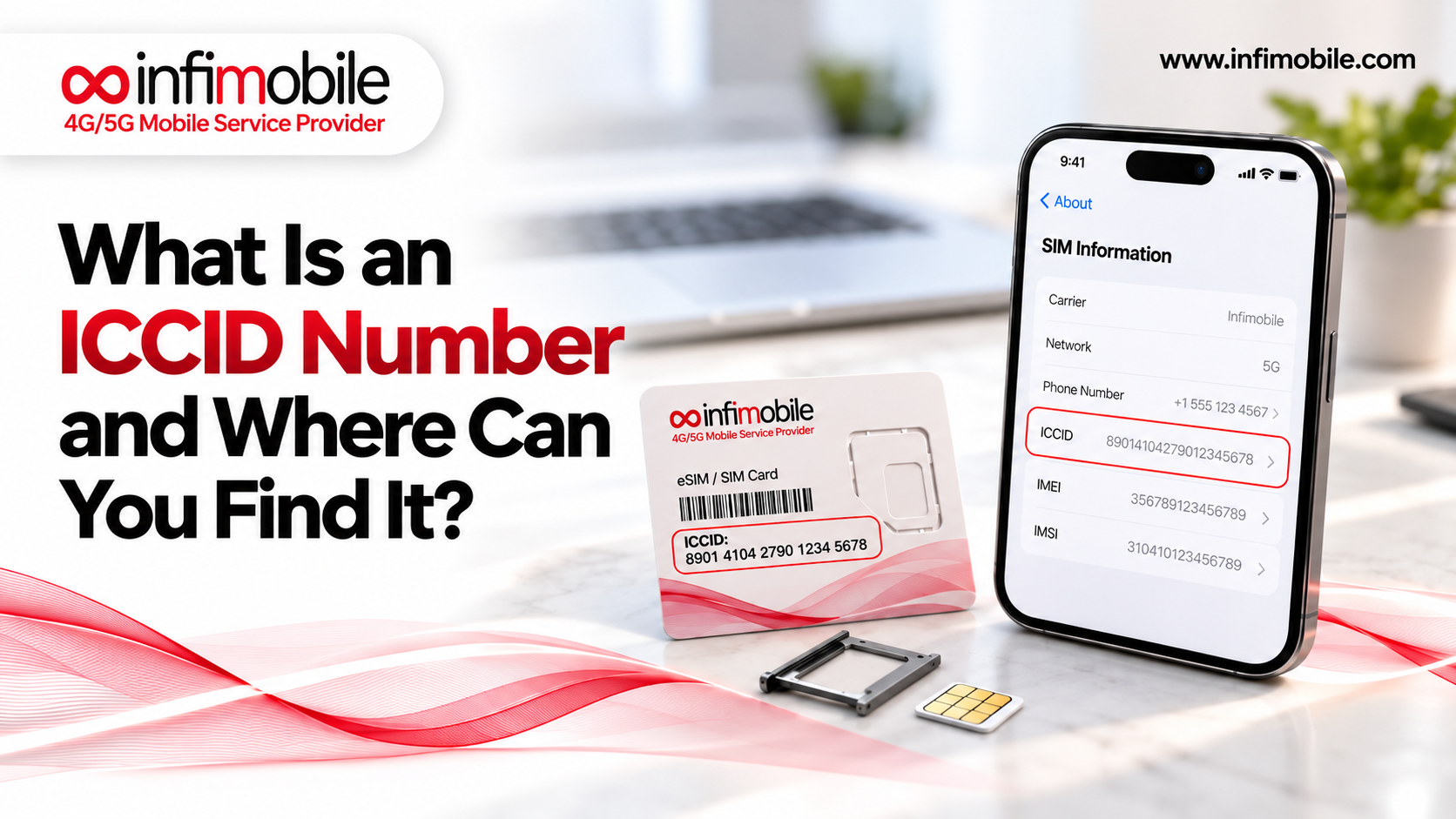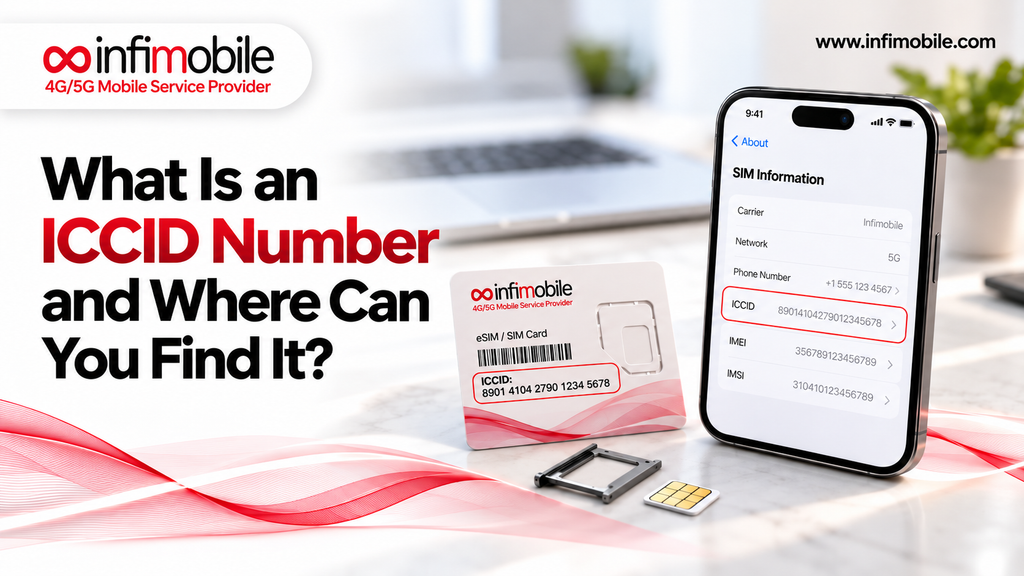
An ICCID number is the unique serial number of your SIM card. It is usually 19 or 20 digits long; it almost always starts with 89, and it identifies the physical card or eSIM profile itself, not your phone and not your phone number. You can find your ICCID number printed on the SIM card, on the card it came attached to, or inside your phone’s settings.
Most people never need this number until a carrier asks for it, usually during SIM activation, a number transfer, a SIM swap, or a support call. Then the questions start. Is it the same as the IMEI? Where is it hiding?
This guide explains what an ICCID number is, what the digits mean, how it differs from other phone identifiers, and exactly where to look for it on iPhone, Android, and eSIM setups.
What Is an ICCID Number?
ICCID stands for Integrated Circuit Card Identifier. Think of it as a serial number for your SIM. Every SIM card made for a mobile network is given one when it is produced, and no two SIMs share the same ICCID. The number is also stored on the SIM’s chip, so your phone can read it directly.
Here is what makes the ICCID useful:
- It identifies the SIM, not the person. The ICCID tells a carrier which card or eSIM profile it is dealing with. It does not contain your name, address, or payment details.
- It stays with the SIM. If you move the same SIM to a different phone, the ICCID stays the same. If you get a new SIM, the ICCID changes.
- It exists for eSIMs too. An eSIM has no plastic card, but each eSIM profile still carries its own ICCID.
A simple comparison helps. Your phone number is like a mailing address that can be moved from one home to another. The ICCID is like the serial number stamped on the lock of one specific door. Carriers use it to match a particular SIM to an account and a plan.
What Do the Digits in an ICCID Number Mean?
An ICCID is not a random string. Each part follows an international numbering standard, so any carrier in the world can read it the same way. A typical ICCID breaks down like this:
- Industry identifier (89): The first two digits show that the card belongs to the telecom industry. This is why nearly every ICCID you see begins with 89.
- Country code: The next one to three digits show the country of the issuer. For the United States, this is 1, so many U.S. SIM cards start with 891.
- Issuer identifier: The following digits identify the company that issued the SIM. This can be the network operator or a wireless provider that uses another network.
- Individual account identification: This longer block is the unique number given to that specific SIM.
- Check digit: The final digit is calculated from the others using a formula known as the Luhn algorithm. It helps systems catch typing mistakes, such as a swapped or missing digit.
You do not need to memorize any of this. The useful takeaway is that the number is structured, and the last digit acts as a built-in error check. If a form rejects your ICCID, a single wrong digit is the most likely reason.
Some SIM cards show 19 digits, and others show 20. Some print an extra letter at the end. Carriers differ in how they print the number, so copy exactly what your SIM shows and follow the instructions on the form you are using.
Why Your ICCID Number Matters
The ICCID becomes important when a carrier needs to connect a specific SIM to your account.
Common Situations Where You May Need It
- Activating a new SIM card. Prepaid carriers often link a new SIM to your plan during activation, and the SIM’s identifying details can be part of that process.
- Transferring your number. When you move your phone number from another carrier, the new SIM has to be tied to your account first.
- Replacing a lost or damaged SIM. Support teams may use the ICCID to confirm which SIM is currently attached to your line.
- Troubleshooting. If your phone shows “No Service” or “Invalid SIM,” the ICCID helps support confirm whether the SIM is active, paired with the right account, or needs replacement.
- Confirming which SIM is in use. On a phone with two SIMs or an eSIM plus a physical card, the ICCID tells you which line is which.
ICCID vs IMEI vs IMSI vs EID: What Is the Difference?
Phones and SIM cards carry several identification numbers, and they are easy to mix up. Each one answers a different question.
| Identifier | What It Identifies | Where It Lives |
| ICCID | The SIM card or eSIM profile | Printed on the SIM and stored on its chip |
| IMEI | The phone hardware | Built into the device |
| IMSI | The subscriber on the network | Stored on the SIM and used inside the network |
| EID | The eSIM chip inside a phone | Built into eSIM-capable devices |
| Phone number | How people call and text you | Linked to your account and SIM |
ICCID vs IMEI
This is the mix-up we hear about most. The IMEI (International Mobile Equipment Identity) is a 15-digit number that belongs to your phone. It stays the same no matter which SIM you insert. The ICCID belongs to the SIM and changes when you change SIMs. Carriers use the IMEI to check whether a phone is compatible with their network, and the ICCID to identify the SIM that connects it.
ICCID vs IMSI
The IMSI (International Mobile Subscriber Identity) is used inside the network to recognize your subscription. You will rarely be asked for it. If a form asks for a number printed on the SIM, it wants the ICCID.
ICCID vs EID
The EID (eSIM Identifier) is a 32-digit number that identifies the eSIM hardware inside a compatible phone. The ICCID identifies the eSIM profile you download onto it. If you delete a profile and install a new one, the EID stays the same while the ICCID usually changes.
Where Can You Find Your ICCID Number?
There are several places to look, and which one is easiest depends on whether you still have the SIM card in your hand.
1. Printed on the SIM Card
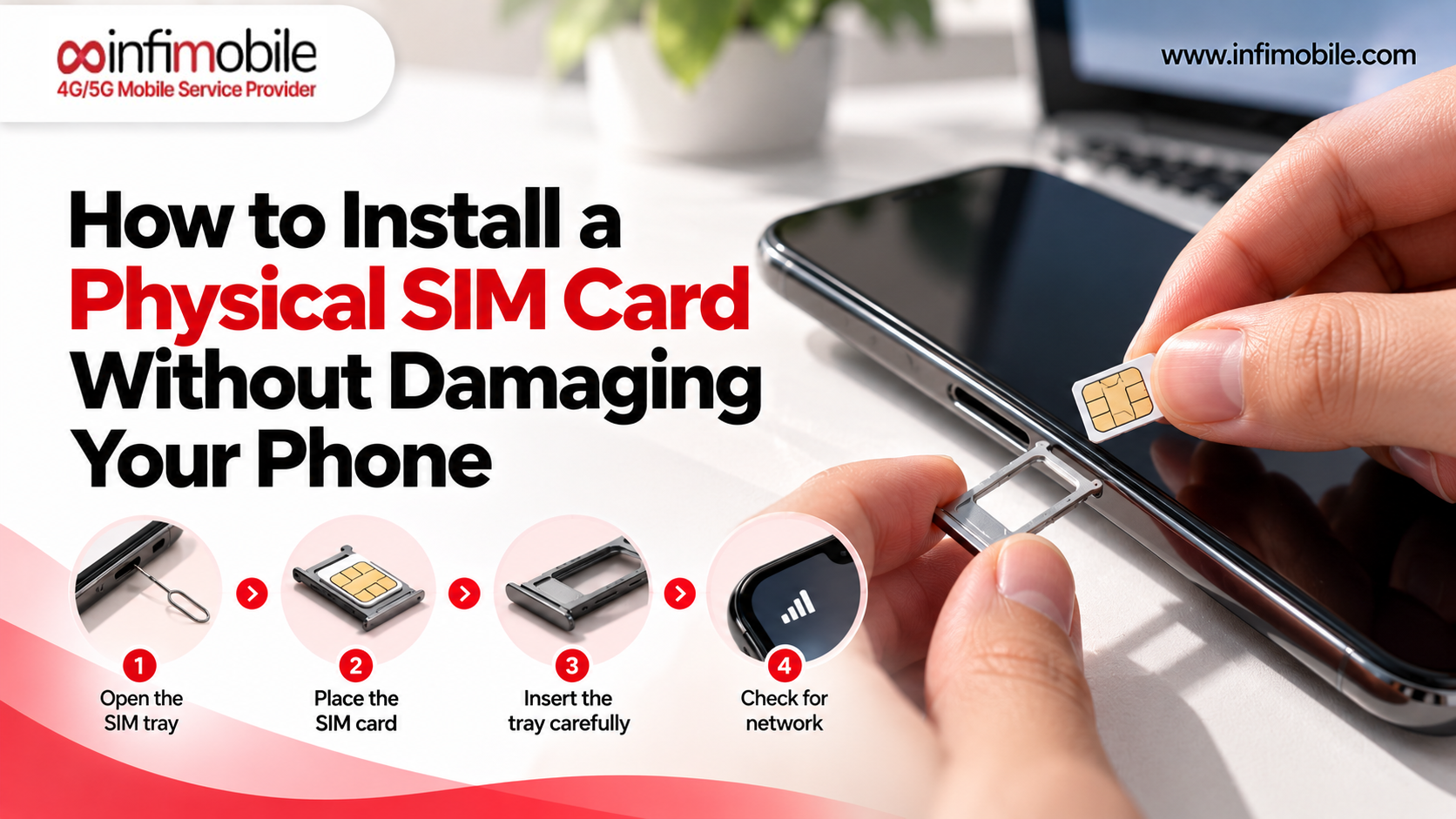
For a physical SIM, this is the most direct method. Take the SIM out of your phone using the SIM tool or a small pin, and look at the printed side. You will usually see a long string of digits, often starting with 89. On many cards, the number is tiny, so use a phone camera and zoom in.
If the number has worn off, try one of the other methods below.
2. On the SIM Packaging or Card Holder
Most SIM cards arrive snapped into a larger plastic card. The ICCID is typically printed on this card, sometimes as a number and sometimes as a barcode with the digits beneath it. Look on the back as well as the front.
If you have not thrown away the packaging, this is often the easiest way to read the number clearly. It is also the safest option because you do not need to remove anything from your phone.
3. In Your iPhone Settings
If your SIM is already working in an iPhone, follow these steps:
- Open Settings.
- Tap General.
- Tap About.
- Scroll down to the SIM or cellular section. You should see ICCID listed there.
- Touch and hold the number to copy it if you need to paste it into a form.
If you use both a physical SIM and an eSIM, each line is listed separately, so check that you are copying the ICCID for the correct one.
4. In Your Android Settings
Android phones vary by brand, but the path is usually similar:
- Open Settings.
- Tap About phone.
- Look for SIM status, SIM card status, or Status information.
- Select the SIM slot you want to check.
- Look for ICCID in the list of details.
On some Samsung phones, the path runs through About phone, then Status information, then SIM card status. On some other phones, the ICCID is not shown at all, or it appears under a slightly different name. If you cannot find it, use the printed number on the SIM or packaging instead.
One tip: dialing *#06# shows your IMEI, not your ICCID. Many people try this first and then wonder why the number looks different.
5. For an eSIM
An eSIM does not have a plastic card to look at, so the settings menu is your main source. On an eSIM phone, the same About or SIM status pages show the ICCID of the active eSIM profile. Your carrier may also list it in your account or in the email that came with your activation details.
If you move your eSIM to a new phone or request a replacement, expect the ICCID to be different, since a new profile is generated. Always read the number from the current profile rather than an older record.
How to Read and Enter Your ICCID Correctly
Getting the number right matters because one wrong digit can stop an activation from going through. Here are some habits that help:
- Copy and paste when you can. On an iPhone, touching and holding the ICCID in Settings lets you copy it. This avoids typing errors.
- Zoom in on printed numbers. Use your camera to enlarge the digits before you type them.
- Watch similar-looking characters. Zeros and eights, or ones and sevens, are the digits people misread most.
- Match the number to the right SIM. If you have several SIMs around, make sure the ICCID you are using belongs to the one you are activating.
If a form still rejects the number, contact support rather than guessing.
Is It Safe to Share Your ICCID Number?
The ICCID is not a password and does not unlock your account by itself, but it is part of how your SIM is tied to your service. Share it only with your carrier or through official activation pages; avoid posting photos of your SIM card online, and contact your carrier right away if a SIM is lost or stolen.
ICCID Numbers and Your Infimobile SIM
Infimobile is a prepaid wireless service provider in the U.S., and new customers start by getting a SIM card or setting up an eSIM. Our support pages note that your service begins once your SIM is inserted and activated, and eSIM activation involves details such as your device’s IMEI and the activation code you receive.
If you are activating or managing a SIM with Infimobile, here are some practical tips:
- Keep the SIM card holder. The number printed on it is the one you will want if you need to double-check which SIM you are activating.
- Have your device details ready. The IMEI and ZIP code are separate from the ICCID, so have each one on hand and enter them in the right fields.
- Follow the activation page. The activation page at infimobile.com/activate shows which fields it needs for your SIM type, so go by what it asks for.
If you have not chosen a plan yet, you can compare the current options on the Infimobile plans page at infimobile.com/plans. Plan details and prices can change, so check that page for the latest information before you decide.
Frequently Asked Questions
In most cases, yes. When a form or support agent asks for your “SIM card number” or “SIM serial number,” they usually mean the ICCID. It is the long number printed on the SIM. It is not your phone number, so check the wording of the field if you are unsure.
It is typically 19 or 20 digits, and it normally begins with 89. The exact length depends on how the issuer formats it. If your number is far outside that range, you may be reading a different identifier, such as an IMEI, which has 15 digits.
No. A physical SIM keeps the same ICCID when you move it to another phone, because the number belongs to the card. The ICCID only changes when you receive a new SIM or a new eSIM profile, such as after a replacement.
Yes. If the SIM is working, check your phone settings under About or SIM status. You can also read the number printed on the SIM card itself. If neither works, your carrier’s support team may be able to help once they verify your identity.
The ICCID alone is not enough to take over your line, but you should still keep it private. SIM-related scams usually rely on other personal details too. Share the number only with your carrier, and contact them right away if you notice unusual activity on your line.
Final Thoughts
An ICCID number is simply the serial number of your SIM card or eSIM profile. It tells your carrier which SIM is linked to your account, and it is different from your IMEI, which belongs to the phone, and from your phone number, which belongs to your service. You can find it on the SIM, on the card it came with, in your iPhone or Android settings, or in your carrier account.
Keeping a photo of your SIM card holder and copying the number instead of typing it will save you time whenever a form asks for it. If you are getting started with a new line, explore the options on our plans page and see how Infimobile makes prepaid wireless simple.