If you’ve ever tried to get online with your laptop while out of the house, you’ve probably turned to your phone’s hotspot feature. It’s one of those tools that feels like magic the first time you use it, until you hit a wall of slow speeds or a “data limit reached” notification you didn’t see coming. Understanding mobile hotspot allowances can save you that frustration and help you choose a plan that fits how you use your phone.
In this guide, we’ll break down what a hotspot allowance really is, how carriers calculate and enforce it, why it’s often separate from your regular data, and what happens when you hit your limit. We’ll also look at how to choose a plan with the right amount of hotspot data for your needs.
What Is a Mobile Hotspot, and Why Does It Have Its Own Allowance?
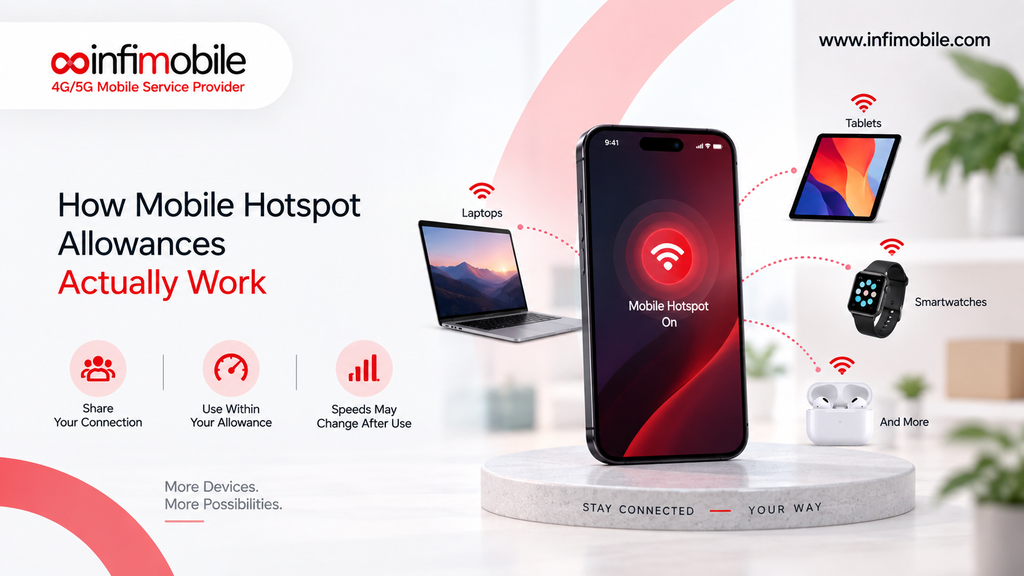
A mobile hotspot lets you share your phone’s cellular data connection with other devices, like a laptop, tablet, or smart TV, by turning your phone into a mini Wi-Fi router. It’s also called tethering when you connect a device directly with a USB cable instead of Wi-Fi.
You’d think that data is data no matter how it’s used, but most carriers treat hotspot usage differently from regular on-phone data. That’s because hotspot use tends to be heavier. When you’re just browsing on your phone, apps are optimized to use less data. Videos may stream at lower resolution, and background processes are designed with mobile screens and battery life in mind.
When you connect a laptop or tablet through your hotspot, none of that optimization applies. Your laptop might pull down a full HD video stream, run several browser tabs, or sync large files in the background, all of which use noticeably more data than the same activity would on a phone screen. Because of this, carriers often set a separate cap specifically for hotspot usage, even within an “unlimited” data plan.
How Carriers Calculate Hotspot Data
Hotspot allowances are usually measured in gigabytes (GB) per billing cycle, just like regular mobile data. A gigabyte is roughly enough for:
- About 200,000 emails without attachments
- Around 2 to 3 hours of standard-definition video streaming
- Roughly 300 to 400 songs streamed online.
- A few hundred web pages with images
When you use your hotspot, your phone tracks the data passing through the tethering connection separately from the data your phone’s own apps use. This is why your phone’s settings usually show a distinct “hotspot data used” figure, separate from your total data usage.
Some plans include a set hotspot allowance as part of the base plan. Others treat hotspot access as an add-on you have to purchase separately, whether that’s a one-time data pack or a recurring monthly feature. It’s worth checking which model your carrier uses, since the terminology across ads and plan pages isn’t always consistent.
Unlimited Data Doesn’t Always Mean Unlimited Hotspot
This is probably the most common point of confusion. Many prepaid and postpaid plans market themselves as “unlimited data,” but that phrase usually refers to on-device data only. Hotspot data is frequently capped even on unlimited plans, and once you use up your allotted hotspot gigabytes, one of two things typically happens:
- Your hotspot access slows down. The connection to your phone’s own apps may stay at full speed, but the tethered connection drops to a much slower speed, often too slow for streaming or video calls.
- Your hotspot access shuts off entirely until your next billing cycle, unless you buy additional hotspot data.
This distinction matters a lot if you rely on your phone’s hotspot for remote work, online classes, or as a backup connection when your home internet goes down. Always read the fine print on a “hotspot included” claim to see exactly how many gigabytes that includes and what happens after you use them.
Common Hotspot Allowance Structures
Carriers structure hotspot allowances in a few common ways. Knowing these patterns makes it easier to compare plans.
Fixed Monthly Allowance
This is the most straightforward setup. You get a set number of gigabytes each month for hotspot use, say 5GB, 10GB, or 15GB, and that amount refreshes at the start of each billing cycle. Once it’s used up, speeds are reduced or hotspot access pauses until renewal.
Add-On Hotspot Packs
Some plans don’t include hotspot data by default. Instead, you purchase it separately, either as a recurring monthly add-on or a one-time data pack you buy whenever you need extra tethering data. This model works well for people who rarely tether but want the option available.
Tiered by Plan Level
Many carriers offer several tiers of the same base plan, where higher-priced tiers include larger hotspot allowances. A basic unlimited plan might include no hotspot or a small amount, while a premium tier of the same plan bumps that up significantly.
Deprioritization Instead of a Hard Cap
Instead of cutting off hotspot access completely, some carriers use a soft cap. After you pass a certain amount of hotspot usage, your data may be deprioritized during network congestion, meaning you could see slower speeds at busy times even though you technically still have “unlimited” hotspot data.
Why Hotspot Allowances Matter More Than You Might Think
Hotspot usage has grown a lot over the past several years as more people rely on mobile connections for remote work, travel, and as backup internet. A few scenarios where hotspot allowances really come into play:
- Working remotely from a coffee shop, coworking space, or on the road, where you need a stable connection for video calls and file transfers
- Traveling, where hotel or public Wi-Fi may be unreliable, slow, or require a paid upgrade
- Rural areas where home broadband options are limited and a phone’s hotspot becomes the primary internet source for a laptop or smart TV.
- Backup internet when your home Wi-Fi goes down, and you need a stopgap for work or streaming
If you fall into any of these categories, the size of your hotspot allowance can matter just as much as your regular data plan, sometimes more.
How to Check Your Hotspot Usage
Most smartphones let you monitor hotspot data directly from your settings.
- On iPhone: Go to Settings, then Cellular (or Mobile Data), and look for Personal Hotspot usage under your data statistics.
- On Android: Go to Settings, then Network & Internet or Connections, and look for Data Usage, where hotspot or tethering data is often broken out separately.
Many carriers also show hotspot usage in their account app or website, which is a good way to double-check your phone’s numbers against what the carrier is actually billing you for.
Tips for Managing Your Hotspot Data Efficiently
If your plan has a limited hotspot allowance, a few habits can help you stretch it further:
- Lower video streaming quality on connected devices. Watching in standard definition instead of HD can cut data use significantly.
- Turn off automatic updates and cloud backups on laptops and tablets while tethered, since these can quietly eat through gigabytes in the background.
- Use hotspot only when needed, and switch back to Wi-Fi as soon as it’s available.
- Check data-heavy apps before connecting, since video calls, large downloads, and game updates use far more data than email or basic browsing.
- Set a data limit alert on your device so you get a warning before you burn through your entire allowance.
What to Look for When Comparing Hotspot Plans
When you’re shopping for a plan and hotspot access matters to you, here are the key questions to ask:
- How many gigabytes of hotspot data are included, if any?
- What happens after that allowance runs out? Slower speeds, no access, or an extra charge?
- Is hotspot data counted against my overall plan data, or is it a completely separate bucket?
- Can I buy additional hotspot data if I run out mid-cycle?
- Does the carrier deprioritize hotspot traffic during busy network hours?
Getting clear answers to these questions before signing up helps you avoid surprises on your bill or an unexpectedly slow connection right when you need it most.
How Infimobile Handles Hotspot Data
Infimobile, a prepaid wireless provider, includes hotspot data in its Freedom Unlimited plan. This plan includes unlimited talk, text, and data, plus up to 10GB of hotspot data per month at no extra charge. That means you can tether a laptop or tablet to your phone’s connection without needing to buy a separate hotspot add-on, as long as you stay within that 10GB monthly allowance.
This kind of built-in hotspot allowance is useful for people who occasionally need to get a laptop online, catch up on work while traveling, or use their phone as a backup connection without having to think about paying extra for the privilege. As with any plan, it’s worth checking current plan details directly on Infimobile’s website before signing up, since hotspot allowances, pricing, and terms can be updated over time.
If you’re evaluating whether a prepaid plan with an included hotspot allowance makes sense for you, think about how often you actually tether, how much data those sessions use, and whether an included allowance like 10GB comfortably covers your typical month.
Frequently Asked Questions
Hotspot data is anything used by another device, like a laptop or tablet, connected through your phone’s tethering or Wi-Fi hotspot feature. Regular phone data covers everything you do directly on your phone, such as browsing, streaming, or using apps. Carriers track these separately even when they draw from the same overall data plan.
It depends on the carrier and plan. Some plans pull hotspot usage from the same overall data pool, while others separate hotspot data into its own dedicated allowance. Check your plan’s terms to see which model applies, since this affects how quickly you might run through your data.
Many “unlimited” plans still cap hotspot speeds after a certain amount of usage each month. Once you pass that threshold, the tethered connection may drop to a much slower speed even though your phone’s own data continues at normal speed.
Many carriers let you purchase an additional hotspot data pack if you use up your monthly allowance before your billing cycle resets. Availability and pricing for these add-ons vary by carrier, so check your provider’s app or website for options.
It depends on your habits. Light use, like checking email or browsing on a laptop occasionally, might only need a couple of gigabytes a month. Regular remote work, video calls, or streaming through a hotspot connection can use significantly more, often 10GB or higher, depending on how often you tether and what you’re doing while connected.
Final Thoughts
Mobile hotspot allowances are one of those details that are easy to overlook until you actually need to rely on them. Knowing how your carrier measures hotspot data, what happens when you hit your limit, and whether that allowance is separate from your regular plan data can help you avoid unexpected slowdowns or extra charges.
If you tether often, look for a plan that includes a hotspot allowance that matches your real usage rather than assuming “unlimited data” automatically means unlimited hotspot too. Infimobile’s Freedom Unlimited plan, for example, includes up to 10GB of hotspot data each month as part of its unlimited data, talk, and text offering, giving you a built-in cushion for tethering without needing to add it on separately. Whatever plan you choose, understanding the fine print around hotspot allowances puts you in a much better position to pick a plan that actually works the way you need it to.