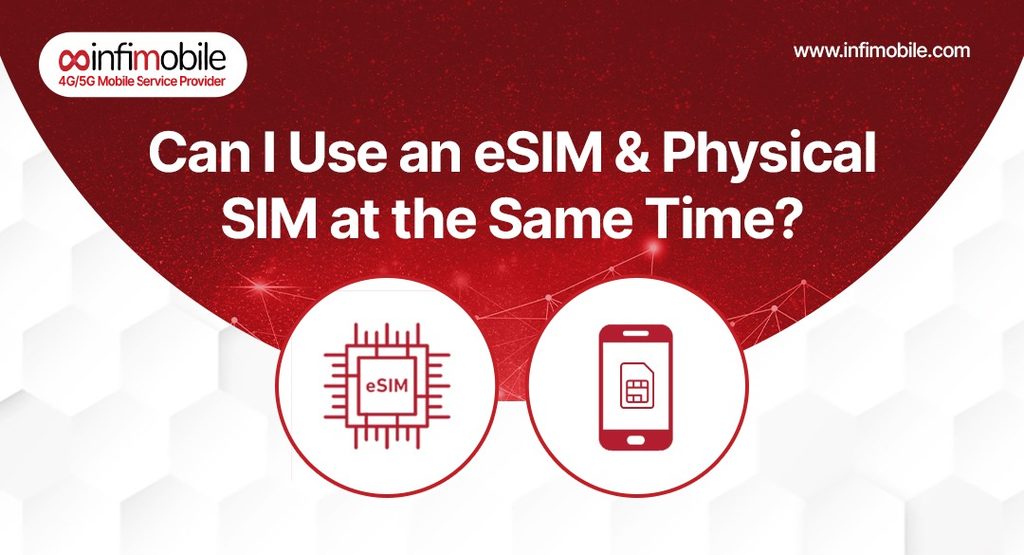
If you’ve ever wanted a second phone number without carrying a second phone, or wondered whether you really need to swap your SIM card every time you travel, you’ve probably run into the term “Dual SIM.” The short answer to the question in the title is yes: on most modern smartphones, you can run an eSIM and a physical SIM at the same time, and the two can serve completely different purposes on the very same device.
This setup is more common than most people realize, but it also comes with a few rules worth understanding before you rely on it. Below, we’ll walk through exactly how eSIM and physical SIM combinations work, which phones support them, how to set one up on iPhone and Android, and what to keep in mind about data, calls, and roaming. We’ll also look at how Infimobile makes this easy, whether you’re activating with a physical SIM kit, an eSIM, or both, and why now is a particularly good time to switch, thanks to a limited flash sale on two of its most popular annual plans.
What Does “Dual SIM” Actually Mean?
Dual SIM means your phone can manage two active mobile lines at once, instead of just one. Traditionally, that meant two physical SIM cards in a phone with two SIM trays. Today, most Dual SIM setups pair one physical SIM with one eSIM, a digital SIM profile built directly into your phone’s hardware, activated through software instead of a removable card.
Because the eSIM doesn’t take up a physical tray slot, it adds a second line to phones with only one SIM tray, without needing a second card. That’s what makes the eSIM-plus-physical-SIM combination so useful: you get two working phone lines in a single-SIM-tray device, something that wasn’t possible before eSIM technology became standard.
Can I Use an eSIM and Physical SIM at the Same Time?
Yes. On the large majority of phones released in the past several years, you can have a physical SIM inserted and an eSIM activated simultaneously, with both lines active and usable. Your phone effectively becomes a dual-SIM device: one line lives on the physical card, and the other lives on the built-in eSIM chip.
Both lines can typically receive calls and texts simultaneously. The one meaningful limitation is cellular data; most phones can use only one line for mobile data at a time, even though both lines stay connected and reachable. Switching which line handles your data is usually just a quick toggle in your phone’s settings, so this limitation rarely gets in the way in practice.
Which Phones Support Both eSIM and Physical SIMs?
Support varies by device, but it’s widespread among phones sold in the last several years.
iPhone: Every iPhone from the iPhone XR and XS onward supports Dual SIM using one physical nano-SIM plus one eSIM active at the same time. iPhone 13 and later go a step further, supporting two active eSIMs simultaneously (Dual eSIM), in addition to still supporting the physical-SIM-plus-eSIM combination.
Android: Most Google Pixel phones from the Pixel 6 onward, along with many Samsung Galaxy models from the Galaxy S22 series onward, support one physical SIM and one active eSIM at the same time. Android phones generally don’t support two active eSIMs simultaneously the way newer iPhones do; instead, you can store several eSIM profiles but run only one alongside your physical SIM at any given moment.
If you’re not sure whether your specific phone supports this, checking your device settings for a “SIMs” or “Mobile network” section that shows both a physical SIM slot and an “Add eSIM” option is usually the fastest way to confirm compatibility.
How Calls, Texts, and Data Work Across Both Lines
Once both lines are active, your phone lets you assign a job to each one. Common configurations include:
- One number for calls and texts, one for data, useful if you want to keep a personal number reachable while using a separate data-only plan.
- Two separate numbers for personal and work, both fully usable for calls and texts, letting you keep the lines separate without carrying two devices.
- A home line plus a travel line, keeping your regular number active for calls and verification codes while a local or travel eSIM handles data abroad.
Regardless of the configuration, remember that only one line can carry cellular data at a time on almost all phones. You can switch which line is “primary” for data manually, or in some cases set your phone to switch automatically based on signal strength, though many people turn that automatic switching off to avoid unexpected data usage on the wrong line.
Why People Choose an eSIM and Physical SIM Combination
The appeal of running both a physical SIM and an eSIM comes down to flexibility without added bulk. A few scenarios come up again and again:
Frequent travelers often keep their home SIM active for receiving calls, texts, and verification codes, while adding a local or regional eSIM purely for data. This avoids the international roaming charges that can pile up quickly on a single-line plan, without losing the ability to be reached on your usual number.
People juggling work and personal lines can keep both numbers live on one device instead of carrying two phones or constantly swapping SIM cards. Calls and texts to either number still come through, and many phones let you choose which line to use before placing an outgoing call.
Anyone testing a new carrier can activate an eSIM from a prospective provider while keeping their current physical SIM active as a fallback, making it easy to compare coverage and call quality side by side before fully committing to a switch.
Backup coverage is another common reason. If your primary carrier has a known coverage gap in a specific area, adding a second SIM from a different network can mean you’re never left with a completely dead phone, since you can switch to whichever line has a usable signal.
DSDS vs. DSDA: The Technical Difference That Explains the Data Limit
If you’ve read about dual SIM phones online, you may have come across the terms DSDS and DSDA. These explain why most phones only let one line use data at a time, even with two active SIMs.
DSDS stands for Dual SIM Dual Standby. This is the setup found on the vast majority of dual-SIM phones, including most iPhones and Android devices. Both lines stay connected and can receive calls or texts at any time, but only one line can be actively using data or holding a call at a given moment. If a call comes in on your second line while you’re on a call using the first, it typically goes to voicemail, similar to call waiting behavior.
DSDA stands for Dual SIM Dual Active. This is less common and allows both lines to make calls or use data truly simultaneously, without one interrupting the other. A small number of phones support this, but it remains the exception rather than the rule.
Knowing which type your phone uses helps set the right expectations: if you’re on a DSDS device, which most people are, plan on treating your two lines as always reachable but not usable for two data-heavy or call-heavy tasks at the same moment.
How to Set Up eSIM and Physical SIM Together on iPhone
- Insert your physical SIM card as usual if it isn’t already in the tray.
- Open Settings and tap Cellular.
- Tap Add eSIM and follow the prompts to scan a QR code or use carrier-provided activation details.
- Once both lines appear under Cellular, tap each one to label it (for example, “Personal” and “Work”), so they’re easy to tell apart.
- Tap Default Voice Line to choose which number handles outgoing calls by default.
- Tap Mobile Data, choose your primary data line, and decide whether to leave Allow Cellular Data Switching on or off, depending on whether you want your iPhone to switch data lines automatically based on signal.
How to Set Up eSIM and Physical SIM Together on Android
- Insert your physical SIM card into the tray.
- Open Settings and go to Network & internet (or Connections, depending on your device).
- Tap SIMs, then select the option to add an eSIM, usually labeled Add eSIM or Download a SIM instead.
- Follow the prompts to scan your carrier’s QR code or enter the activation details manually.
- Once both SIMs are listed, tap each one to rename it and set individual preferences for calls, texts, and mobile data.
- Choose your preferred data line under Mobile data, since Android generally allows only one line to handle cellular data at a time.
What to Keep in Mind Before Relying on Dual SIM
A few practical details are worth knowing before you set up an eSIM and physical SIM together:
- A number is tied to one device at a time. You can’t use the same phone number active on two separate phones simultaneously unless your carrier specifically offers a multi-device feature, which is uncommon.
- Moving a line between phones requires deactivating it first. If you want to move an eSIM or number to a new device, you’ll typically need to remove or deactivate it on the original phone before setting it up on the new one.
- Roaming charges can still apply to your primary line. If you’re using a local eSIM for data while traveling, make sure your home SIM isn’t also trying to use data in the background, or you could face unexpected roaming fees.
- Your phone needs to be unlocked to mix carriers. If you want your physical SIM and eSIM to come from two different providers, your device generally needs to be carrier-unlocked first.
- Battery and signal behavior can vary slightly. Running two active lines uses marginally more resources than one, though the difference is rarely noticeable in daily use.
Why the Right Carrier Still Matters for Dual SIM Setups
Having a phone that supports eSIM and physical SIM together is only half the equation; your carrier also needs to support easy activation for whichever setup you choose. Some carriers make eSIM activation frustrating, requiring in-store visits or long wait times, while others limit which plans are even eligible for eSIM in the first place.
Infimobile is built around flexibility here. Activation works with either a 3-in-1 physical SIM kit or a downloadable eSIM, and setup is handled entirely online in minutes. Because Infimobile plans are also designed for bring-your-own-device use, you can add an Infimobile eSIM alongside an existing physical SIM from another carrier, or simply activate Infimobile as your primary line and keep a second SIM on standby for travel or work, whichever fits how you actually use your phone.
Infimobile’s Flash Sale: Lock In a Full Year of Coverage
If you’re setting up a new line, whether as your main number or as a second line alongside an existing SIM, now is a particularly good time to do it. For a limited time, Infimobile is running a flash sale on two of its most popular annual plans:
| 10GB Annual Plan | 10GB high-speed data/month | 12 months | $75 upfront | ~$6.25/month |
| 20GB Annual Plan | 20GB high-speed data/month | 12 months | $120 upfront | ~$10/month |
Both flash sale plans include unlimited nationwide talk and text, Wi-Fi Calling and Wi-Fi Texting, and access to Infimobile’s nationwide 4G/5G network. After your monthly high-speed data is used, speeds are reduced rather than cut off, so you’re never left fully disconnected. Activation works with either a physical SIM kit or an eSIM, making it simple to add Infimobile as a second line on a dual-SIM phone, or to switch over entirely.
This flash sale pricing is available for new activations only, and it won’t stay up indefinitely, so if you’ve been thinking about adding a second line for travel, work, or backup coverage, this is a good moment to lock in a full year at a fraction of the usual cost. Terms and eligibility apply, and full details are available on Infimobile’s website.
Quick Tips for Managing eSIM and Physical SIM Together
- Label your lines clearly in your phone’s settings so you always know which number is which before making a call or sending a text.
- Set a default line for calls and messages to avoid confusion about which number contacts see when you reach out.
- Turn off automatic data switching if you want full control over which line uses your data plan at any given time.
- Double-check compatibility before switching carriers, since not every phone or plan supports both a physical SIM and an eSIM simultaneously.
- Keep your eSIM QR code or activation details saved somewhere secure in case you ever need to reinstall the profile after a factory reset.
Frequently Asked Questions
No. On supported phones, you can activate an eSIM while your physical SIM stays inserted and active, giving you two working lines on one device rather than replacing one with the other.
No. A single phone number can only be active on one SIM, physical or digital, at a time. If you want to move a number from a physical SIM to an eSIM (or vice versa), you’ll need to deactivate it on one before activating it on the other.
The difference is usually minimal. Keeping two lines active does use slightly more power than running one, but for most people the effect on daily battery life is barely noticeable.
On nearly all phones, no; only one line can handle cellular data at a time, even though both lines can receive calls and texts simultaneously. You can switch which line is active for data at any time in your settings.
Yes. Infimobile plans, including the current flash sale plans, can be activated with either a 3-in-1 physical SIM kit or a digital eSIM, so you can set up Infimobile as your primary line or add it as a second line alongside an existing SIM.
Final Thoughts
Running an eSIM and a physical SIM together isn’t a niche trick anymore; it’s a standard feature on most phones sold today, and it opens up a lot of flexibility for travel, work-life separation, or simply keeping a backup line active. The setup takes only a few minutes on either iPhone or Android, and once it’s done, your phone handles the switching between lines without much thought required from you.
If you’re adding a new line to take advantage of this setup, Infimobile makes activation simple with either a physical SIM or an eSIM, backed by nationwide 4G/5G coverage and Wi-Fi Calling included standard. With the 10GB and 20GB annual plans currently on flash sale, it’s a good time to lock in a full year of dependable coverage before the pricing changes. Visit Infimobile online to check compatibility and get started.